1
BeatMaker 2 User Manual
___________________________________________________________________________________________________________________________________________________________________________________________________________________________________________________________________________________________________________________________________________________________________________________________________________________________________________________________________________________________________________________________________________________________________________________________________________________________________________________________________________________________________________________________________________________________________________________________________________________________________________________________________________________________________________________________________________________________________________________________________
C.4. MAPPING EDITOR
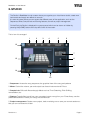
The sampler can control a different set of playing samples over the keyboard range, up to 128 notes,
per layer. With the Mapping Editor, you can easily create your own sample-based instruments.
You can create complex presets using layers. For example you can map a piano sound from C3 to
C4, and also add a violin sound on the same mapping. Optionally, layers can respond to a specific
velocity, which is great to use soft instrument sound on low velocity, and more percussive sounds on
higher velocities.
The process for creating a new instrument is as follow:
- Create a new empty zone on the default layer
- Select the key range you want your sample to play on (low key and high key)
- Select the key starting from which the chromatic pitch spread of the sample will be applied
to keys in the selected range (base key)
- Load or record a sample on this zone
- Repeat this process for any other sample you want to pitch spread on the instrument.
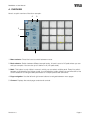
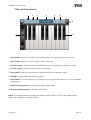
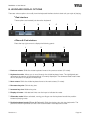
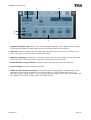
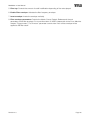
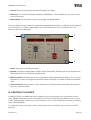
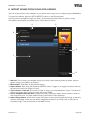
• Main interface
4
5
6
1
7
2
8
3
9
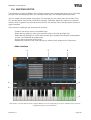
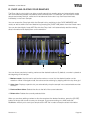
iPad interface. The iPhone/iPod version is slightly different: the zone configuration (8) is split in 3 different boxes. See zone
configuration below for more information.
___________________________________________________________________________________________________________________________________________________________________________________________________________________________________________________________________________________________________________________________________________________________________________________________________________________________________________________________________________________________________________________________________________________________________________________________________________________________________________________________________________________________________________________________________________________________________________________________________________________________________________________________________________________________________________________________________________________________________________________________________
Revision 2.3 Page 29