1
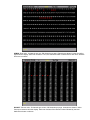
An edit field protection feature prevents accidentally changing existing settings when carrying out
channel control operations. This feature affects the Cue, Sub, Macro, X Playback and Group
screens.
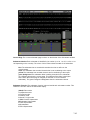
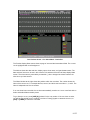
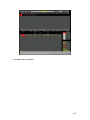
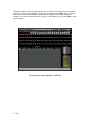
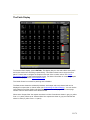
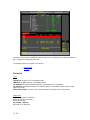
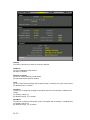
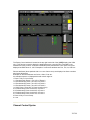
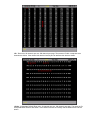
When the user enters any of these screen by pressing the appropriate key all editable fields are
displayed in yellow (non -editable) and the trackball can only be used to scroll up and down the
list of Cues, Subs, Macros, etc. Similarly, when the Fx screen is displayed, The trackball will only
scroll the existing effects, or effect steps using the {EDIT STEPS} {EDIT FX} softkeys. All existing
effect properties are displayed in yellow.
The user can still perform all channel control functions and create and record new Cues, Subs,
Macros, Effects and Effect Steps.
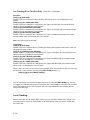
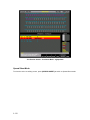
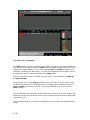
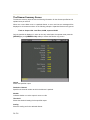
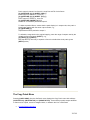
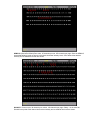
When the [SHIFT] key is held pressed while moving the trackball, all fields in the current display
become green (editable)
Pressing the [*] key returns to the edit field protection mode.
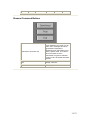
Mouse Functions
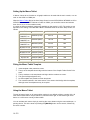
GeniusPro and Lightpalette software supports a range of mice and trackballs, including the 'intelli'
type mouse and trackball, to mimic the trackball, trackball softkeys and rotaries on the 500 series
consoles. Any of the mouse options can be used with either 500 or 300 series consoles for the
control of attributes and to mimic the other functions of the trackball, e.g., moving the highlight on
the setup screens, scrolling the help screens and activating help hyperlinks. PS2 mice should be
plugged into the PS2 port and serial mice should be plugged into one of the COM ports, unless
the mouse is dual function (i.e., PS2/Serial). On the 300 Series consoles, the intellitrackball may
be connected to the PS2 port on the Processor unit or on the command module. Alternatively, the
intellitrackball may be plugged into either the COM1 port on the processor unit, or the COM2 port
on the command module using the appropriate adaptor.
Important Note: Throughout this manual, references to trackball should be taken as a
generic term covering the series 500 trackball or the trackball of a two or three button or
'Intelli' type mouse or trackball. In the event of a mouse/trackball not being available or
inoperable, all the functions performed by the trackball/mouse can be simulated using the
four navigation keys on a PC keyboard connected to the console, or, on 300 Series
consoles by pressing [SHIFT] [0] to enter cursor lock mode and using the arrow keys on
the console keypad.
When you initially connect a mouse to a 300 Series console, the mouse will not operate
until you set the Mouse Net Node and Port fields in the User Setup Screen. To do this,
press <SETUP> then press [SHIFT] [0] to enter cursor lock mode. You can then use the
cursor keys on the console keypad to highlight the Net Node and Port fields and the [+] or
[-] keys to set the options.
Supported Mice
Microsoft or Logitech 2-button PS2 or serial mouse
Microsoft or Logitech 3-button PS2 or serial mouse
Microsoft Intellimouse or Intellitrackball or Logitech equivalents.
4-53