1
Winch 25 Features
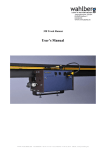
The Winch25 is a wire winch for lifting and moving scene objects.
The winch is controlled from the lighting desk, and thereby stage movements can be controlled in
corporation with the lights, this will add dynamic to the performance or play.
Winch25 has an advanced positioning system that is controlled with a 16 bit DMX channel.
This gives a very high accuracy.
The lifting speed is also controlled by DMX, and it is possible to limit the outer ranges of how high
or low the winch can move.
The positioning system has to be reset every time the power to the winch is turned back on.
For resetting, use DMX channel 5.
If one of the following 3 possibilities is fulfilled, the position will be saved in the build in memory,
and therefore it will not have to be reset at the next power on.
1. The winch has been stopped for more than 30 seconds.
2. DMX speed (channel 3) has been set to 0 % or channel 4 is out of the 50-55 % area for more
than 10 seconds.
3. The emergency switch has been pressed for more than 3 seconds.
When the Winch25 is turned on the winch cannot run before DMX channel 4 has been out of the
enable area of 50-55 %, after this the winch has to be reset again.
Emergency switch:
Before the Winch25 can run, it needs power on the emergency switch: 15 VDC between grounding
pin 1 and pin 4. If the connection between 1 and 4 is lost the winch will stop, the red
ERROR light will be on, and the display will show: EMERGENCY STOP
PRESSED
An emergency switch can be connected to this plug, between pin 1 and 4.
Counterweight:
It is very important to have at least 1Kg load on the wire before start running
the winch. If no weight is applied in the wire, it will jam on the drum.
DMX channels used for controlling the winch
(For a more detailed description see page 9)
DMX channel 1 – Position. (16 bit DMX channel)
DMX channel 2 – Position fine. (16 bit DMX channel)
DMX channel 3 – Maximum speed
DMX channel 4 – Motor Enable – between 50 % and 55 %, to enable the motor output.
DMX channel 5 – Reset UP
DMX channel 6 – Manual DWN, (Sets the TAC RANGE)
Resetting the up position:
Run the motor to the top reset position, with channel 5.
Setting DMX channel 5 to 0% resets the position
805.220.001
6