1
68
DigSee Sure
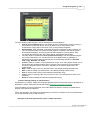
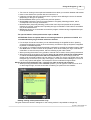
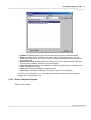
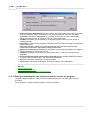
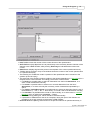
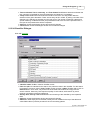
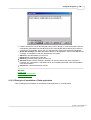
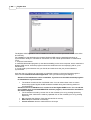
• Template ComboBox allows one to filter a list of initial questionnaire arrays, thus leaving in the
list only those questionnaire arrays that are created on the basis of the selected template.
It is recommended to apply this filter to support operations with questionnaire arrays of the same template.
• Main array TextBox indicates the name of the questionnaire array to which the information
from the remaining selected questionnaire arrays will be added, if Create new array CheckBox
has not been selected. The field is not accessible to manual editing, and in order to change the
main questionnaire array it is necessary to select its name in the Right ListBox.
• Create new array CheckBox determines whether a new questionnaire array will be created
from selected ones or data from the selected questionnaire arrays will be appended to the
questionnaire array given in Main array TextBox. If this check box is selected, the name of a
new questionnaire array will be requested next by the program.
• Left ListBox shows the existing questionnaire arrays
• Right ListBox stores questionnaire arrays selected for merging
• > Button transfers the highlighted questionnaire array from the left list to the right one
• > > Button transfers all questionnaire arrays from the left to the right list
• < Button transfers the highlighted questionnaire array from the right list to the left one
• < < Button transfers all questionnaire arrays from the right to the left list
• Delete source arrays CheckBox determines whether the initial questionnaire arrays are to be
removed after merging
• Ok Button starts the merging procedure. Upon its completion, a report on the successful
completion (indication of the number of merged questionnaire arrays) or on error is given
• Cancel Button closes the dialogue window without executing merging procedure
See also:
Questionnaire Dialogue
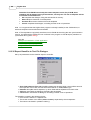
2.13.15 Jump for Yes/No Type Dialogue
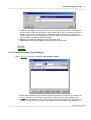
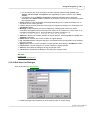
Setting navigation for the data type Yes/No/Don't know.