1
Auto Shut-Off
Enabling the Auto Shut-Off feature allows the manometer to turn itself off after a
user selected period of keypad inactivity. Selectable options include DISABLED,
10 Minutes (which is the factory shipped default), 20 Minutes, 30 Minutes, 45
Minutes and 60 Minutes. Disabling this feature limits the manometer to being
turned off by using the ON/OFF key only.
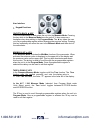
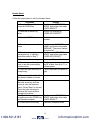
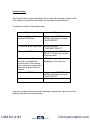
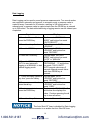
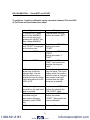
To configure auto shut-off follow these steps:
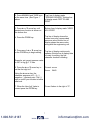
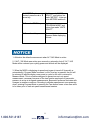
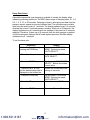
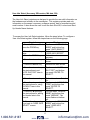
Keystroke
1. Follow steps 1-6 in
the user Info Select
table.
2. press the PRGM
key, then the up or
down arrow keys until
the desired shut-off
time is shown.
Display
Top line reads “AUTO
SHUT-OFF” and
bottom line reads
“ENTER TO SELECT”.
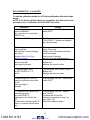
Top line reads “AUTO
SHUT-OFF” and
bottom line toggles to
“DISABLED”, “10”,
“20”, “30”, “45” and
“60” minutes .
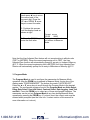
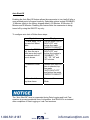
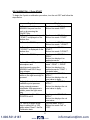
3. Press the PRGM
key.
Desired Auto Shut-Off
time is selected, top
line reads
“AUTO SHUT-OFF”
and bottom line reads
“ENTER TO SELECT”.
4. Press the left arrow
key three times.
Returns to Measure
Mode.
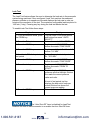
The “Auto Shut-Off” timer is suspended during Data Logging and Leak Test
sessions to prevent accidental loss of information. Auto Shut-Off is re-instated
after completion of Data-Logging or Leak Test sessions.
14
1.800.561.8187
www.
.com
[email protected]