1
Leak Test
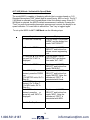
The Leak Test feature allows the user to determine the leak rate in the pneumatic
system being monitored. Once configured, Leak Test monitors the measured
pressure, altitude or air speed over time and displays the leak rate in units per
minute at the conclusion of the test. The maximum configurable leak test period is
1440 min (1 day). Pressing any key during the leak test aborts the test.
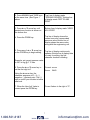
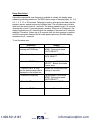
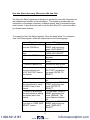
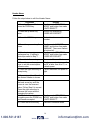
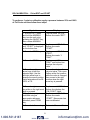
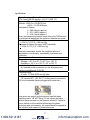
To enable Leak Test follow these steps:
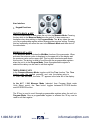
Keystroke
1. From the Measure Mode, press
the PRGM key.
2. Press the ▼ key twice.
Display
Top line reads “PROGRAM MODE”
and bottom line reads “UNITS
SELECT”.
Bottom line reads “LEAK TEST”
3. Press the PRGM key.
Top line reads “LEAK TEST” and
bottom line reads “CONFIGURE”.
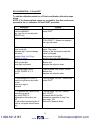
4. Press the PRGM key.
Top line reads “Leak Test Period” &
bottom “X.X MIN”.
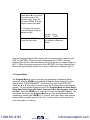
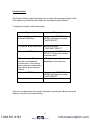
5. Use the ▲, ▼ & ► keys to input
test period
6. Press the PRGM key.
Bottom line reads desired period;
Ex. “20.0 MIN”.
Top line reads “LEAK TEST” and
bottom line reads “CONFIGURE”.
7. Press the ▲ key once.
Top line reads “LEAK TEST” and
bottom line reads “PRGM TO
START”.
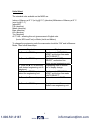
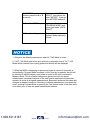
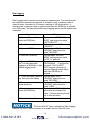
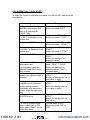
Top line displays MIN/MAX
pressure values at left/right. Bottom
line reads the current pressure
value and units.
8. Press the PRGM key.
9. Press the PRGM key.
At end of test period, top line
displays the leak rate in units per
minute. Bottom line shows the
current pressure reading.
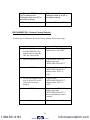
Return to Measure Mode
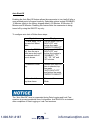
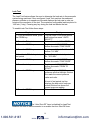
The “Auto Shut-Off” timer is disabled for Leak Test
sessions. Be sure to end the session to re-enable the Auto Shut-Off timer.
19
1.800.561.8187
www.
.com
[email protected]