1
Product Handbook
1.0 Matrix-Hub System Overview
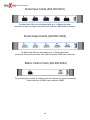
The Matrix-Hub is a matrix switch for the entire desktop. The switch may be comprised of
up to four rack-mounted chassis, each of which supports a unique user interface. These
chassis are for video, keyboard/mouse, serial devices, and audio. Each chassis may be used
independently or be integrated to operate together. The primary function of the device is to
permit up to 30 attached users or destinations to gain access to up to 30 computers or
sources. When used with the VDE/200 extension system from Lightwave, a versatile and
highly flexible "topology" may be created which can maximize the effectiveness of both
creative and high performance computer resources.
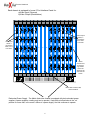
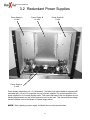
Each chassis include redundant power supplies, on-board cooling fans, and a front panel
Electroluminescent display for quick references to Matrix-Hub diagnostics and connection
activity.
Each customer may decide how and by whom the Matrix-Hub will be controlled. Through
imple serial connections the switch may be connected to a network, an attached server,
industry-standard controller (Dataton), or ASCII terminal. The switch is capable of routing
RGB video and audio, signals to any number of destinations simultaneously while
keyboard/mouse and serial information is routed to one destination at a time.
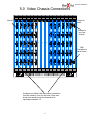
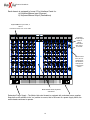
The Matrix-Hub Video chassis and keyboard/mouse chassis may be configured according to
customer requirements in increments of 5 ports (input/sources or output/destinations).
Additional ports may be added as needed up to the capacity of each chassis (30 x 30). The
serial chassis may be configured according to customer requirements in increments of 5 ports
(input/sources or output/destinations) to a maximum of (35X35).
The following manual has been organized according to chassis components: video,
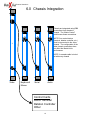
keyboard/mouse, serial, audio. A final section will be dedicated to integrating the chassis
together. Operation using Dataton equipment will not be discussed in this manual.
1