1
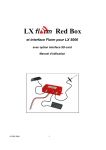
LX Flarm Red Box
LX Navigation d.o.o.
Dec. 2006
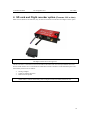
2.1 Part list
2.1.1 Flarm Red Box
•
•
•
•
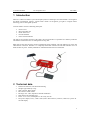
Flarm red Box unit
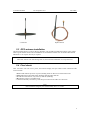
RF antenna
GPS antenna
Flarm External display with cable (1x 60cm and 1x 150cm)
2.1.2 Flarm interface for LX 5000
•
•
•
•
Flarm Interface for LX 5000 unit
RF antenna
GPS antenna
Flarm External display with cable (1x 60cm and 1x 150cm)
3 Operation
The unit will run immediately after power will be applied. With GPS antenna connected and visible
satellites about three minutes will take to be operable. There are no commands or status indicators on the
unit. All important statuses are be readable on External display, also all inputs will be done this way.
3.1 Flarm external display
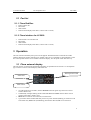
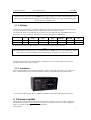
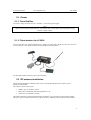
The unit consists of a 50x20 mm flat housing which has one push button and 16 LED’s. A 6P telephone
type connector connects External display with Flarm unit.
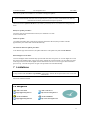
Warning/Nearest LED
Status LED
Mode selector
•
•
•
•
10 radial positioned red LED’s, defines direction to the near glider (top LED active means
frontal collision risk)
2 additionally red light emitting diodes marked like above and below informs about vertical
position of the glider, which is close.
Mode button is used to control the unit, see table below
5 green status LED’s. Power indicates presence of power and data (blinking, if no data received
from Flarm unit), GPS status (bad blinking), Tx transmit detection, Rx receive detection.
4