1
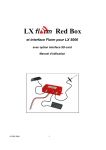
LX Flarm Red Box
LX Navigation d.o.o.
Dec. 2006
Note!
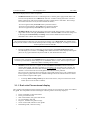
To change mode of operation press MODE button for approximately 2 seconds. If the radial LED’s will
run from top toward bottom means change over to NEAREST and vice versa. After each new power on,
the unit will start in Nearest mode.
3.1.2 Settings
Using of mode selector button is possible to adjust some parameters of the external display. Disconnect the
unit, press mode selector and hold, power on, hold mode selector for about 4 seconds.
The display parameters can be defined pressing mode selector for approximately 2 seconds and observing
green LED’s. To move in-between parameter press mode short and observe red LED’s.
Parameter
LED
Twin confg.
Baudrate
Tx
Tx+Rx
Red LED
018˚
˚
PIC
4800 bps
Red LED
054˚
˚
PAX
9600 bps
Red LED
090˚
˚
Red
LED126˚
˚
Red
LED162 ˚
Red LED
198˚
˚
19200 bps
-------
38400 bps
57600 bps
If two units will work in parallel (double seater), one unit must be PIC and another PAX.
Note!
LX Flarm Red Box and also Interface for LX 5000 baud rate is 19200. There isn’t any possibility to change
this parameter. All external displays delivered through LX Navigation are factory set to 19200.
If another navigation device for instance PDA is intended to be used, a splitter should be inserted. LX
Navigation offers a wide range of splitters.
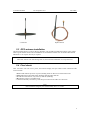
3.1.3 Installation
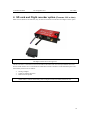
Find a convenient place in the cockpit, which offers a good viewing angle to the LED’s. LX Navigation
offers a small housing which will make installation on the top of the instrument panel professional.
Two connection cables having different lenghts are offered to ensure all possible instalation solutions.
4 Firmware update
Flarm software expires and therefore periodically firmware upgrades are necessary. Flarm original tools
should be used, available on www.flarm.com. A cable set isn’t a part of delivery. Use IGC compatible
cables, for instance Colibri/LX20 power and data adapter.
The procedure:
6