1
Learn Salesforce Basics
Search Results
Search Results
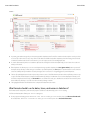
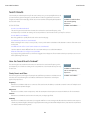
Search results are ordered by relevancy for the user. In many cases, you can quickly find the record
you searched for by just reviewing the top results. We’ve included our guidelines for users who
navigate around the search results page. Check out some more answers to frequently asked questions
about search results.
EDITIONS
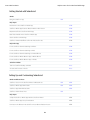
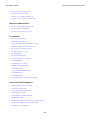
IN THIS SECTION:
Available in all editions
Available in: both Salesforce
Classicand Lightning
Experience
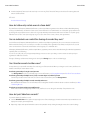
How Are Search Results Ordered?
The search engine sorts results most relevant to the user based on search term frequency, order,
and uniqueness, record and user activity, and access permissions. Search result relevancy can vary for each user.
How Do I Refine Search Results?
Use these guidelines to quickly find records on the search result page.
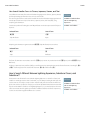
Are Nicknames Included in the Search Results?
When searching for an account, a contact, a lead, or a user, search returns results that include alternative versions of the name used
in the search.
Are Different Forms of the Search Term Included in the Search Results?
Searches expand to match different forms of a search term with a process called lemmatization.
What Are the Results I See As I Type in the Search Bar?
As you type in the global search box, a list of auto-suggested records appears. These instant results let you quickly access a record
before performing a full search.
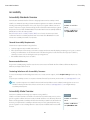
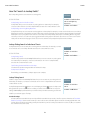
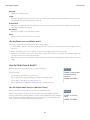
How Are Search Results Ordered?
The search engine sorts results most relevant to the user based on search term frequency, order,
and uniqueness, record and user activity, and access permissions. Search result relevancy can vary
for each user.
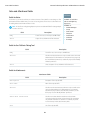
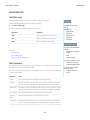
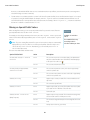
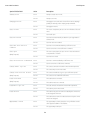
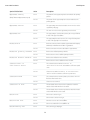
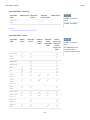
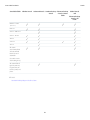
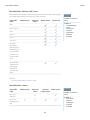
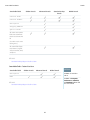
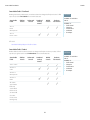
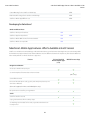
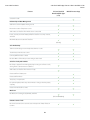
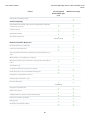
Priority Boosts and Filters
The search engine uses various types of priority boosts and filters to prioritize records that are most
relevant to the user performing the search. Boosts and filters aren't listed in the order they are
applied or by importance.
EDITIONS
Available in: both Salesforce
Classic and Lightning
Experience
Available in all editions
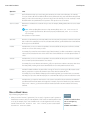
Frequency
Prioritizes records that include more occurrences of the search terms. In addition, records that contain all or more of multiple search
terms entered are prioritized higher.
Uniqueness
Prioritizes records that contain unique terms, under the assumption that uniqueness increases the likelihood of a relevant match.
Location
Prioritizes records with the search term in the name, title, or subject type fields.
Proximity
Prioritizes records with the search terms closer together with few or no intervening words. Records that contain the same sequence
of terms are prioritized higher. Similarly, if a single alphanumeric string is indexed with multiple tokens, exact matches are prioritized
over matches with intervening words.
162