1
Ing. Z.Královský
Ing. Petr Štol
Petr 457
675 22 STA
Okrajová 1356
674 01 T EBÍ
Development & production of control equipment Tel.:
Visualization, measurement and regulation SW Fax:
568 870982
568 870982
Tel.:
Cell:
568 848179
777 753753
WWW.UNIMA-KS.CZ [email protected] e-mail: [email protected] e-mail: [email protected]
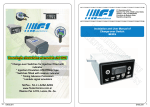
UniGEN AP
User Manual
May 2015
1.
Using ...................................................................................................................2
2.
Actuating of the CU ............................................................................................3
2.1
2.2
2.3
3.
Control panel ....................................................................................................3
CU mode selection ...........................................................................................6
Description of the indicating LEDs....................................................................8
CU display map ..................................................................................................9
3.1
Generator........................................................................................................10
3.1.1
1/1 GENERATOR ....................................................................................10
3.1.2
1/2 GENERATOR (Measure)...................................................................10
3.1.3
1/3 GENERATOR (protections) ...............................................................10
3.1.4
1/4 GENERATOR (Statistics) ..................................................................11
3.1.5
1/5 GENERATOR (Alarms) .....................................................................11
3.2
Mains ..............................................................................................................12
3.2.1
2/1 MAINS ...............................................................................................12
3.2.2
2/2 MAINS (Measure) ..............................................................................12
3.2.3
2/3 MAINS (Protections) ..........................................................................12
3.3
Synchronization ..............................................................................................13
3.3.1
3/1 MAINS SYNCHRONIZATION ............................................................13
3.4
Measure ..........................................................................................................13
3.4.1
4/1 MEASURE (Cyl.tem.) ........................................................................13
3.5
User defined screens ......................................................................................13
1
UniGEN AP User manual
1.
Using
Control system (CU) is designed to control motor-generator sets with phasing
generators to the distribution network, supports different modes of cooperation with
the network contains network protection, generator and motor protections.
With user-defined functions (gates, flip-flops, analog members, PID controllers,
control blocks for three-way valves, etc.) is possible the basic firmware easily
extended with additional functionality (see documentation "ManagerAP a mapping
function") ..
For technical specifications of the device (HW description, count and types of inputs
and outputs, communication interfaces e.t.c.) see documentation “Specification
UniGEN AP HW VN”.
Using RS-232 interface is possible to connect device to PC, control, visualize and
configure it using program “ManagerAP”. See documentation “Manager AP user
manual”.
For connection CU to PC use 3-wire cross-over cable (2-3, 3-2, 5-5, “nullmodem”)
with CANNON 9F.
PC
3
2
7
8
6
1
4
9
5
TxD
3
2
7
8
6
1
4
9
5
RxD
GND
CU
Using communication bus can be connected to control system expansion modules of
inputs and outputs, speed controller USC, UIS voltage regulator, ignition UIS1÷4. All
these components can be parameterized by one service program over a single
connection to the control system. CU have these devices exchange the necessary
information, so in addition to the communication bus is not necessary to further
interconnection components.
2
UniGEN AP User manual
2.
Actuating of the CU
2.1 Control panel
Control panel includes 12 control keys, graphics display 240x128 pixels and 6 twocolour LEDs for state indication.
Selection of CU mode,
control mode (OFF-MAN-SEM-AUT)
and power mode (COPY – constant power)
Input for menu CU
MENU: Pressing again in the menu causes return to the main
screen
PARAMETERS: return back to the main screen
Keys upwards and downwards,
on main screen they serve for switching of sub-screens.
MENU: serve for menu item selection
PARAMETERS: serve for parameter selection
Keys left and right,
on main screen they serve for switching of sub-screens.
Press and hold of the right key enables to pass over to the list of
alarms (1/5).
Press and hold of the left key enables to pass over to the home
screen of the generator (1/1).
PARAMETERS: serve for selected parameter value change
Key for fault deactivation after the fault source has gone off
„Enter“ key,
MENU: confirmation of selected item in menu
PARAMETERS: return back to main screen (confirmation of
parameter value entered from numeric keyboard)
Start of the aggregate in manual or semi-automatic mode –
activating the demand for aggregate run. Is there a start block, the
start is taking place immediately after the reason for blocking has
gone off.
In case there is a semi-automatic mode set, CU will either pass on
to parallel operation (net deion is shows on-state) or pass on into
operation under load (net deion shows off-state).
If there is a manual mode actual, CU goes over immediately after
start only to nominal speed operation mode.
Keystroke during the relieving phase (i.e. the demand for
successive unloading) causes the return to the parallel (island)
operation.
Initiation of shut-down and semi-automatic mode transition
(provided this was actual in automatic mode). It activates releasing
and after a time-out expiry desynchronizes (in parallel mode) or
disengages generator contactor (in solitary mode) and after cooling
evokes Stop.
Keystroke during the relieving phase results in immediate contactor
disengaging and cooling run transition.
Keystroke during the cooling run results in immediate stopping of
cooling run and unit halt.
3
UniGEN AP User manual
MCB (left)
GCB (right)
Operating of net deion. Controlling of net deion is possible in
manual mode only, and in only a few modes under net cooperation
(E, P+I and P+E). In cooperation modes P and I is this key blocked,
panel LED indicator of the net deion in P-mode is lighting
constantly, in I-mode is not lighting constantly.
In cooperation mode P+I can be selected by means of key whether
the generator will be working in solitary or parallel operation (unless
the deion-controlling is blocked through the parameter “MCBCrtlPI”
from the CU-key board), automatic mode does not actuate the deion
status.
In E and P+E cooperation mode as well as in CU-automatic mode is
the output governed according to CU-algorithm.
Touch of button activates the deion-grids
(irrespective the generator operation status).
Touch of button deactivates the deion-net
(irrespective the generator operation status).
Touch of button activates backwards synchronizing
towards the net and subsequently parallel operation
with the net. The retouch during the backwards
synchronizing towards the net will defeat the
backwards synchronizing. Overrun of warning or
emergency limits of some of the net or generator
parameters (U, f, phase) will block deion contact
making which can lead to malfunction of the “not in
time synchronized”.
Touch of button deactivates the deion-net and
causes generator transition from parallel to solitary
operation (operation on-load).
Operating of generator deion. It is possible to govern the deion in
manual mode only (it is governed automatically according to CUalgorithm in the automatic mode).
If the generator is running with nominal speed the
touch of button causes attachment of load and
passing on into operating on-load
If the generator is running with nominal speed the
touch of button activates synchronization toward the
net (provided emergency limits of net parameters are
not exceeded). The re-touch during the
synchronizing will annul the synchronizing. Overrun
of warning or emergency limits of some of the net or
generator parameters (U, f, phase) will block contact
making for deion which can lead to malfunction of
the “not in time synchronized”.
Touch of button will disconnect the load and
courses transition from running on-load into
unloaded run at nominal speed.
Touch of button causes generator desynchronizing
and transition to parallel operation with unloaded run
at nominal speed.
4
UniGEN AP User manual
Numeric keyboard,
MENU: In menu serve for fast manu item selection (replaces select
up and down keys and press "Enter").
PARAMETERS: Entering the parameter value directly by numerical
value (replaces select of parameter value by up and down keys).
CU RESET: after CU reset holding of keys combination 2&7 cause
activation of internet-bridge terminal
MODEM DIAGNOSTICS: keys 0,1,2,3 and 9 serve for modem
command send during modem diagnostics
Key plus(minus),
PARAMETERS: Parameter sign selection when is value entering
directly by numeric keyboard.
Decimal point key,
PARAMETERS: Insertion of the decimal point of parameter when is
value entering directly by numeric keyboard.
Key „back“,
PARAMETERS: Deleting of the last value digit when is value
entering directly by numeric keyboard.
5
UniGEN AP User manual
2.2 CU mode selection
Selection of this mode is activated by key-stroke “MODE”. After having press this
key for the first time it follows the flashing of the machine mode indicating arrows left
and right and you can make your selection among “OFF-MAN-SEM-AUT” (meaning:
set off - manual mode – semi-automatic mode – automatic mode). Another press of
MODE-key causes flashing of the machine performance mode “30kW-COPY”,
selection is made using the arrows left and right. Provided the fix performance is
selected (no “COPY”), the desired performance can be set using the arrows up-anddown. For mode confirmation it is necessary to press the key “ENTER”.
CU mode
OFF
MAN
SEM
CU is not active; signal “Ready” will not be released, even if there
would be no blocking or malfunction. CU does not respond to any
“START”-stroke (neither in manual nor in semi-automatic mode).
There is the logic sign “ModeOFF” active.
Manual Mode; CHP is starting however it is not passing on to
synchronizing stage automatically. From CU key-board it is possible
to operate manually GCB and MCB. Provided “COPY” mode is
selected at the same time, the unit can be started irrespective the
value of desired performance; if the desired level is low the CHP is
running with the min. power (in parallel).
Semi-automatic Mode; Start and Stop of the unit occurs using the
keys START/STOP, nevertheless further it is running fully
automatic, i.e. in the same way as in automatic mode. GCB and
MCB operation from the CU key-board is locked.. Provided the
“COPY” mode is selected at the same time and the net deion is
switched ON the starting and stopping of the unit occurs in
accordance with the power desired.
6
UniGEN AP User manual
AUT
Power
mode
Automatic Mode; The CHP is running fully automatic, based on
Entry operational requirement (input logical signal HDO).
Provided the “COPY” mode is selected at the same time and
the net deion is switched ON the starting and stopping of the
unit occurs in accordance with the power desired.
150k
Constant power mode; the CHP is running based on the setW
power (provided no power limited protection is active).
COPY Copy Mode; the CHP is imitating the entity consumption (i.e.
the value of the power desired).
Key-stroke of STOP in automatic mode will cause the unit transition into the semiautomatic mode.
7
UniGEN AP User manual
2.3 Description of the indicating LEDs
Net
Net voltage is
lower than 25V in
all phases
(measured by
CU) and there
are no external
net protections
active
Net parameter
OK
MCB
Deion
disconnected,
back coupling OK
Deion connected, There is
back coupling OK connected either
MCB or GCB
Deion connected, Generator
back coupling OK parameters OK
Engine running
-
Back
synchronizing
towards the net is
running
Synchronizing
towards the net is
running
-
Warning net
parameters have
been exceeded
Feedback failure,
deion
disconnected
(despite of
requirement to
connect)
Feedback failure,
deion connected
(despite of no
requirement to
connect)
Synchronizing
Warning
towards the net is generator
running
parameters have
been exceeded
Engine start
blocking, puttingasside, other
engine states
Feedback failure,
deion connected
(despite of no
requirement to
connect)
Engine error
Emergency net
parameters have
been exceeded
(measured by
CU) or there are
external net
protections active
Consumer
Neither MCB nor
GCB are
connected
-
-
GCB
Deion
disconnected,
back coupling OK
8
Generator
Engine
Generator voltage Engine stopped,
is lower than 25V reary to run
in all phases
Emergency
generator
parameters have
been exceeded
LED colour
Not
emitting
Green
Green
(blinking)
Orange
Red
UniGEN AP User manual
3.
CU display map
Information on the display of control system can be selected using the arrow keys or
the Menu / Display. The main screen displays (Generator - Network - Phasing Measurement - User screens) are selected using the arrow keys up and down. With
cursor keys right and left can be opened further additional screens (if any)
The lower two lines of the screen (status bar and mode) remain unchanged
irrespective of the screen.
Flashing warning triangle in the lower right corner of the screen indicates a warning
or emergency messages to alarmlist.
Screens map:
9
UniGEN AP User manual
3.1 Generator
Basic information and measuring of the generator
3.1.1 1/1 GENERATOR
Main screen generator contains two analog
indicators. Relative power (the percentage of the
actual performance of the nominal power) and
genset speed.
Informations at the right side are:
Preq: requested power
Preg: power to which is regulated
Pgen: actual generator power in kW
Wtr: power limitation indicator due to high water temperature
Oil: power limitation indicator due to low oil temperature
CH4: power limitation indicator due to low methane level
Mix: power limitation indicator due to high mixture temperature
Dis: power limitation by energy distrtibutor
Usr: power limitation by user algorithm
Information about compromising performance may vary depending on the firmware
version, there may be other indicators, such as .:
Wei: power limitation due to low weir level (firmware MVE)
Pre: power limitation due to high steam pressure (firmware ORC)
Requested power can be fixed internal parameter (XXXkW mode) or external
requirement for entering into a logic control system via analog input "External power
request (Copy)" (COPY mode). Input "External power request (copy)" can be
mapped e.g.to network active power (in this case will follow the power value
measured on the network) to the physical current input 20 mA, at the output of user
functions etc.
If during operation no active power limitation value Preg will have the same value as
Preq. In the event power limitation Preg value defines at what value the performance
is reduced.
3.1.2 1/2 GENERATOR (Measure)
Information about voltage, current, active and
reactive power at the various stages of the
generator, the total active and reactive power,
power factor and frequency generator. The bargraph shows the nominal voltage grid voltage
warning and emergency limits and under-voltage
(surges). The current bar-graph is displayed warning and emergency generator
overcurrent limit.
3.1.3 1/3 GENERATOR (protections)
Generator protection. Flashing lights indicate
exceeded warning limits, a continuously lights
indicate exceeded emergency thresholds.
V : undervoltage (without delay)
V : overvoltage (without delay)
V : voltage unbalance (without delay)
A : overcurrent (without delay)
10
UniGEN AP User manual
A : current unbalance (without delay)
L1-L3: indicate phase in which is out of limits
Hz : underfrequency (without delay)
Hz : overfrequency (without delay)
ExOverCurr: external overcurrent information (external input)
GenErV: overall generator voltage error (the sum of partial voltage failures
with delay)
GenErA: overall generator voltage error (the sum of partial voltage failures
with delay)
GenErHz: overall generator frequency error (the sum of partial voltage
failures with delay)
PhaseSeq: indicator of wrong phases sequence on generator
3.1.4 1/4 GENERATOR (Statistics)
Statistical information on the operation of the
generator.
Prod.energy: counting of energy
produced by generator
Supp.energy: coutong of energy supplied
to the mains
Res: resets count (counting up to 255)
Start: genset starts count (counting up to 65535)
Energymeter (gasometer): two user-configurable counters. By mapping of the
logical binary inputs "Impulse Counter A (B)" you can count the incoming
pulses. User ("Parameters / Meters") can set the name of counter unit value of
one impulse.
Reset of all counters and can be done from the keyboard of control system by
selecting "Menu / Service / Counter Reset". So this option has been made available
must be logged on user with access password L2.
3.1.5 1/5 GENERATOR (Alarms)
List of warning and emergency conditions of
genset. Flashing warning triangle in the lower
right corner (visible in all screens) indicates that
the alarm list is not empty.
Emergency conditions (faults) can remove from
the alarm by fault acknowledgments (if the cause
does not continue), a warning from the alarm will disappear after the resolution
causes automatically.
The alarm list can be quickly viewed by holding down the right cursor key.
11
UniGEN AP User manual
3.2 Mains
Basic information and measuring of the mains, deions state.
3.2.1 2/1 MAINS
Summary information about mains voltage,
generator voltage, active and reactive power on
mains as well on generator
MCB: mains deion control (switch state
indicate real state)
GCB: generator deion control (switch
state indicate real state)
3.2.2 2/2 MAINS (Measure)
Information about voltage, current, active and
reactive power in all phases of network, the total
active and reactive power, frequency. The bargraph shows the nominal voltage grid voltage
warning and emergency limits and under-voltage
(surges).
3.2.3 2/3 MAINS (Protections)
Mains protections. Flashing lights indicate
exceeded warning limits, a continuously lights
indicate exceeded emergency thresholds.
V : undervoltage (without delay)
V : overvoltage (without delay)
V : voltage unbalance (without delay)
L1-L3: indicate phase in which is out of limits
Hz : underfrequency (without delay)
Hz : overfrequency (without delay)
ExErrMns: External information about mains error (external input)
VJmp: indicator of vertor jump, numeric value under indicator shows the
actual value of vector jump (value is indicated 5s after maximum of vector
jump is detected)
GenErA: overall mains voltage error (the sum of partial voltage failures with
delay)
GenErHz: overall mains frequency error (the sum of partial voltage failures
with delay)
PhaseSeq: indicator of wrong phases sequence on mains
12
UniGEN AP User manual
3.3 Synchronization
3.3.1 3/1 MAINS SYNCHRONIZATION
Information about synchronizing the generator to
the network. Analog indicator on the left shows
the phase difference between the L1 grid and
generator. Bar graph arrays indicate the amount
of voltage in L1 network (L1M) and phase
generator (L1G). The bar-graph voltage
networks are indicated emergency voltage limits, the bar-graph generator voltage
limits are indicated with the desired voltage generator (middle band corresponds to
the voltage + parameter "RegVgD").
3.4 Measure
Imformation about other measured values. This screen is addicted to the firmware
type.
3.4.1 4/1 MEASURE (Cyl.tem.)
E.g. in CHP firmware version is on this screen
indicated cylinders temperatures.
3.5 User defined screens
The last fifth row of eight screens can be userdefined by program ManagerAP. Here you can
view analog or digital indicators according to
customer requirements.
13
UniGEN AP User manual