1
Step 1 Software Installation
If your Delphi Scan kit includes the optional tablet PC please skip to Step 3 on Page 11; ‘Activation & Update.’
Please install the Delphi Scan software on the shop computer you have designated for Delphi Scan. System requirements are:
•
Microsoft Windows 32-bit Operating System:
–
Windows XP with Service Pack 3 with at least 500MB of RAM, or
–
Windows Vista with at least 1GB of RAM, or
–
Windows 7 (64 bit also) with at least 1GB of RAM
•
3GB available Hard Disk space (recommended 5GB for future expansion)
•
1 available USB port
•
DVD drive
•
WiFi 802.11 b/g wireless network adapter (for VCI units with optional WiFi)
•
Internet access to allow updates
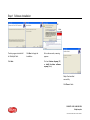
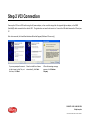
To begin installation, please close all programs and disable any security software on your PC, then insert the Delphi Scan DVD in the DVD drive.
The installation will begin automatically.
CONTACT US AT 1.800.545.2220
Delphi.com/am
©2013 DELPHI CORPORATION. ALL RIGHTS RESERVED.