1
27
12.1 Installing Adobe Premiere Pro
You can choose to install Adobe Premiere Pro on either the Livestream Studio
HD500 or another computer. Depending on your need, you can either use
the Premiere Pro 30-day trial (functions without restrictions or watermarks),
buy a license for $799, or get a subscription license via Adobe Creative Cloud
for $75/month or $49/month annually. http://www.adobe.com/products/
creativecloud/buying-guide.html
• Downloading and installing Adobe Premiere Pro CS6
1.Download Installer http://www.adobe.com/cfusion/tdrc/index.
cfm?product=premiere_pro
2.Sign in with a your Adobe ID. If you do not have one, registration is free.
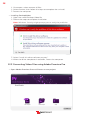
• Once the download is complete, the installer should automatically launch.
Follow the steps to complete installation.
• Once Adobe Premiere Pro is installed you will have to install the latest
version of the Blackmagic Design Driver.
Note: if you already have the most updated version of Blackmagic design
driver you will have to remove it and reinstall the driver.
12.2 Downloading and Installing the Blackmagic Design
Driver
Note: Please ensure that Adobe Premiere is installed before performing this
step.
• Go to: http://www.blackmagicdesign.com/support
• Download Desktop Video
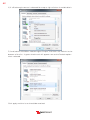
• If you have Desktop Video already on your computer, you will have to
remove it, then reinstall the driver. If you do not have Desktop video skip
to Step 3
• Open the Desktop Video file downloaded
ivestream