1
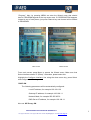
“Program”. Also, by pressing MENU we enter the Wizard menu that should
have a PROGRAM legend at the top center area. If COORDINATION appears
instead in any of both places, just press Channel key and channel will be shifted
to PROGRAM.
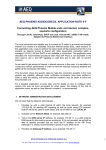
Main screen
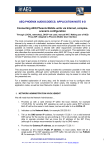
Wizard screen
From main screen press Menu to access the Wizard menu. Make sure that
Select Interface shows “IP (Ether)”. Otherwise, please select this.
Highlight the Configure Interface, line using the down arrow key, press Select
and configure the following:
DHCP ON
The following parameters will be automatically configured:
Local IP address, for example 192.168.1.22
Gateway IP address, for example 192.168.1.1
Network Mask, for example 255.255.255.0
DNS Server IP address, for example 192.168.1.1
Also set: SIP Proxy: ON
APLICACIONES ELECTRONICAS QUASAR S.A.
TEL: (34) 91 686 13 00 - FAX: (34) 91 686 44 92 - E-mail: [email protected] - Web:
2
www.aeq.eu