1
Description
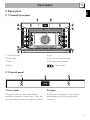
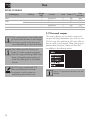
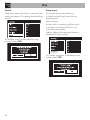
3 Control knob
Cooling fan
This knob allows you to turn the appliance
on and off and select the various available
functions.
Turn the knob right or left to change/select
the required item. Press to confirm.
Keep the knob pressed in for at
least 5 seconds to immediately
complete any cooking program.
2.3 Other parts
Shelves
The appliance features shelves for
positioning trays and racks at different
heights. The insertion heights are indicated
from the bottom upwards (see 2.1 General
Description).
The fan cools the oven and comes into
operation during cooking.
The fan causes a steady outflow of air from
above the door which may continue for a
brief period of time even after the appliance
has been turned off.
Interior lighting
The appliance interior lighting comes on
when:
• the door is opened;
• any function is selected, except for the
and
functions;
• Turning the return knob to the right or left
when no function is selected (turn the
knob to the right or left again to switch off
the internal lighting).
8