1
Technical Manual Control interfaces for QT250 & QT800
7. TROUBLESHOOTING
7.1 General
Problem description
The actuator does neither respond to
control signal nor give any feedback and
there is little resistance if you try to turn
the emergency operation hand wheel.
It is not possible to establish connection
with Eltorque manager.
Actuator is not able to turn valve with the
desired speed or does not move to
correct open or closed position.
Cause & solution
1. No input power supply, check wiring
and fuses.
2. Control interface electronics has
stopped running, disconnect input
power supply, wait 3 seconds and
reconnect to reset the electronics.
1. Check that configuration cable is
properly connected.
2. Check configuration cable switch, it
must be set to 0.
1. Use Eltorque Manger to re-configure
the actuator’s speed, torque and/ or
open closed positions.
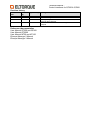
7.2 Digital
Problem description
Cause & solution
The actuator does not respond to input
control signals.
1. Bad connection, check wiring.
2. A supply voltage is connected to the
Common terminal, must be
disconnected immediately.
The actuator does not give Open, Closed
or Alarm feedback.
1. Bad connection, check wiring.
2. No power supply in the feedback
circuits, check PLC or power supply.
7.3 Analogue
Problem description
Cause & solution
The actuator does not respond to
analogue input control signals.
1. Bad connection, check wiring.
2. No power supply from the 4-20 mA
PLC/ controller outputs. Check that
supply voltage is 12-24 VDC.
3. Incorrect type of PLC/ Controller
analogue output, verify that it is 4-20
mA.