1
Technical Manual Control interfaces for QT250 & QT800
Table of Contents
1. General information ...................................................................................................... 4
1.1 Introduction ............................................................................................................. 4
1.2 Terminology ............................................................................................................ 4
1.3 The Eltorque control interfaces ............................................................................... 6
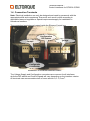
1.4 Connection Terminals ............................................................................................. 7
1.5 Cable Glands .......................................................................................................... 9
1.6 Power supply connections ...................................................................................... 9
2. Digital ........................................................................................................................... 10
2.1 Functionality .......................................................................................................... 10
2.2 Installation ............................................................................................................. 10
3. Analogue ...................................................................................................................... 13
3.1 Functionality .......................................................................................................... 13
3.2 Installation ............................................................................................................. 13
4. Modbus......................................................................................................................... 15
4.1 Functionality .......................................................................................................... 15
4.2 Installation ............................................................................................................. 15
5. CANopen ...................................................................................................................... 17
5.1 Functionality .......................................................................................................... 17
5.2 Installation ............................................................................................................. 17
6. Configuration using Eltorque Manager ..................................................................... 20
7. Troubleshooting .......................................................................................................... 21
7.1 General ................................................................................................................. 21
7.2 Digital .................................................................................................................... 21
7.3 Analogue............................................................................................................... 21
7.4 Modbus and CANopen.......................................................................................... 22
Contact information:
ELTORQUE AS
Lyng Industrial Park
7125 Vanvikan Norway
Tel: +47 748 55 520
Fax: +47 74 85 55 12
Web: http://www.eltorque.com/