1
Contents
Chapter 1: Learning about the printer .............................................................................. 5
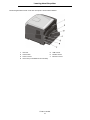
Printer overview ...............................................................................................................................................5
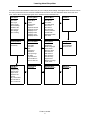
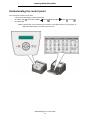
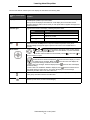
Understanding the control panel ...................................................................................................................... 8
Chapter 2: Understanding print media guidelines ......................................................... 10
What types of print media can be loaded? .................................................................................................... 10
Selecting print media ..................................................................................................................................... 11
Storing print media ......................................................................................................................................... 16
Avoiding jams ................................................................................................................................................ 17
Chapter 3: Printing ............................................................................................................ 18
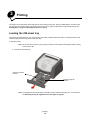
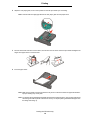
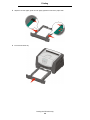
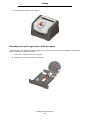
Loading the 250-sheet tray ............................................................................................................................ 18
Loading the manual feeder ............................................................................................................................ 23
Linking trays ................................................................................................................................................... 24
Sending a job to print ..................................................................................................................................... 24
Canceling a print job ...................................................................................................................................... 25
Printing the menu settings page .................................................................................................................... 26
Printing a network setup page ....................................................................................................................... 27
Printing a font sample list ............................................................................................................................... 27
Chapter 4: Installing options ........................................................................................... 28
Accessing the system board .......................................................................................................................... 28
Adding a memory card ................................................................................................................................... 31
Adding a flash memory card .......................................................................................................................... 32
Installing an optional 250-sheet drawer or 550-sheet drawer ........................................................................ 33
Recognizing installed options ........................................................................................................................ 34
Chapter 5: Maintaining the printer .................................................................................. 35
Storing supplies ............................................................................................................................................. 35
Conserving supplies ...................................................................................................................................... 35
Ordering supplies ........................................................................................................................................... 35
Photoconductor kit end-of-life ........................................................................................................................ 39
Maintenance kit .............................................................................................................................................. 42
Recycling Lexmark products .......................................................................................................................... 42
Chapter 6: Clearing jams .................................................................................................. 43
Identifying jams .............................................................................................................................................. 43
Understanding jam messages ....................................................................................................................... 43
Clearing a jam ................................................................................................................................................ 44
3