1
MS-4200
MS-4201/MS-4202L/MS-4203
Baby/Baby&Teenager/Adult
Operation Manual
INTRODUCTION
Thank you for purchasing a Marsden Professional Medical Scale. This is a precision
Class III Weighing Instrument and it will reward considerate use with many years of
accurate weighing results
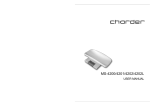
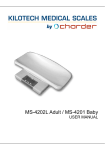
The MS-4100 and MS-4101 come complete with a plastic baby tray, plastic cover,
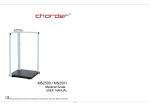
Aluminium base, and a large easy to read LCD display, the model MS-4102 is intended for
Adults only and no baby tray is supplied
User Keys – The MS-4100 has 3 function keys consisting of ON/ZERO/OFF, HOLD and
TARE
The MS-4101 and MS-4102 have 4 function keys consisting of 2 x ON/ZERO/OFF, HOLD
and TARE
USING THE SCALE
The scale is suitable for able body users only. The user should step directly on to the centre
of the scale to ensure safe use.
POWER SUPPLY & LOW BATTERY
1. The MS-4100, MS-4101 and MS-4102 scales can be run from six ‘AA’ alkaline batteries
or can be connected directly to the mains power supply using the included mains power
adaptor
2.
(Low battery indication) will display on the scales LCD display when the battery
power is insufficient to power the scale
3. When
is displayed, please replace the 6 alkaline batteries
SPECIFICATIONS
MODEL No
MS-4200
MS-4201
MS-4202L/4203
Capacity/Division
20 kg x 10 g
0~20kg x 10g
20~50kg x 20g
0~150kg x 50g
150~200 x 100G
Yes
Yes
No
Baby Tray
Units of Measure
Function keys
Stabilisation Time
Operating Temp.
Power supply
Indicator display
Kg
ON/ZERO/OFF, HOLD, TARE
1-2 seconds
0°C - 40°C
Six AA size alkaline batteries or Mains Adaptor
1.0” LCD display with 5 active digits
Dimensions
(w x d x h)
Base: 340 x 330 x 50 mm
Baby Tray: 585 x 280 x 120mm
POWER SUPPLY
The scales use six "AA" size Alkaline batteries for operating. The battery is contained in a
cavity inside the scale. Access is via a removable cover on the rear of the scale, as shown
below.
INSTALLING THE BATTERY
1.
2.
3.
4.
CONNECTING THE MAINS POWER SUPPLY
FUNCTION KEYS
Tare
Hold
On / Zero/Off
Max 150kg
Min 1kg
e = 0.05 kg
Adult
Net
0
Adult
Hold
On /Zero/Off
Max 150kg
Min 1kg
e = 0.05 kg
MS-4101 and MS-4102 Only
ON/ZERO/OFF
1. Press this key to power up the scale, the display will go to 0.00kg
2. MS-4101/MS4102 Pressing the Single ON/OFF/ZERO key on the opposite side of
the display will cause the scales display to reverse, therefore the display can be set
to be viewed by the patient or the operator
3. If the scale shows a figure other than 0.00kg with no weight applied then press the
ON/ZERO/OFF key once to Zero the display.
4. Press and Hold the ON/ZERO/OFF key to switch off the scale.
Note: The scale has a built in Battery save function that will switch off the scale after a period of
inactivity, usually around 5 minutes
HOLD
1. When weighing a patient press the Hold key once and the scale will ‘lock’ onto the
patients weight once a stable reading as been taken.
2. Press the Hold key again to release the display.
TARE
1. The Tare key can be used to Zero the weight of any unwanted item, example –
When weighing a baby it is normal for some paper towels or similar to be placed
onto the scale, press the Tare key once and the weight of the paper towels will be
zeroed off.
2. After weighing the baby, remove the paper towels and press Tare again to cancel the
tare value and return to Zero.
BMI
1.
2.
3.
4.
5.
After the patient stands on the scale, press and hold the BMI key for 3 seconds.
The scale will enter Height entry mode.
Use the +/- keys to adjust the display to the patients height in centimeters.
Press the BMI key once and the patients BMI result will be shown on the display.
Press the BMI key once again to return to normal weighing mode.
ERROR MESSAGES
1. Low Battery
The scales alkaline AA type batteries
are flat.
Replace the batteries with new ones
2. Over Load
This indicates that the scales load
sensor/s have been overloaded, recalibration may fix this problem but it
usually indicates a faulty load sensor
3. High/Low Zero Count
1) The scale is above its Zero Range,
remove any weight on the scales
and try to power on again. If the
scale still shows the error message
then it indicates a fault with the
scales electronics.
4. Low Zero Count
2) The scale is below its Zero range,
check there is nothing jammed
underneath the scale and try to power
on again, if the scale still shows the
error then it indicates a fault with the
scales electronics