1
delay of the shared application must comply with the above
numbers in order for the other two engineers to receive the audio
message and the event update in such a way as to maintain the
real-time quality of the session. This is usually the case in
controlled IP environments such as local networks or corporate
IP networks.
In the case of typical Internet connections, where audio and video
delays are not controllable, or in the absence of audio or video,
restrict delay parameters make little sense because the users have
no time-wise perception of one another. In such instances, when a
user receives an update message, the user has no way of knowing
when an actual action occurred. So, even a delay of 5 seconds or
more might be acceptable depending on the nature of the
application under such circumstances.
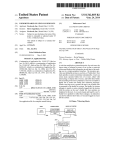
Figure 9. Client-Server communication in JETS
JETS uses a multithreaded server as shown in figure 9, where the
main server launches a sub-server for each user joining the
session. The sub-server is responsible for processing only the
update messages or requests coming in from its own client. Once
the sub-server receives the update message, it will send it to all
other clients in the session. This will create a fast system
response, at the expense of more resources utilized due to subserver threads. However, usually only one client at a time can
control and interact with an application (due to floor control in
session management), and most threads will simply be waiting.
For its client-server communication, JETS uses TCP/IP and
UDP/IP sockets. In figure 9, when client 1 does some interaction
with application A, his actions are reflected to data server 1 which
runs as part of Server A for application A. Next, data server 1
relays the actions of client 1 to other clients which are listed in a
client list on Server A. Finally, application A of client 2 receives
those actions and reflects them on the screen of client 2.
3.7 Performance Evaluation
JETS can be considered a real-time tool in the sense that its
updating response time, in a network environment capable of
supporting real-time applications, is within the acceptable
parameters of human quality of service for desktop collaboration,
as we shall see. But as with any TCP based multiuser system,
there is an upper-bound to the number of simultaneous users
before those parameters are violated. This “maximum users” limit
depends on the resources utilized by the system, such as
processing power, graphics power, memory, network bandwidth
and network delay, as well as the design of the communication
part of the system.
Depending on the quality desired, the application level end-to-end
delay between two users should be less than 1000 milliseconds,
with 200 milliseconds recommended for tightly-synchronized
tasks [11]. However, these numbers are valid only if the shared
application is used in conjunction with some type of media that
provide a sense of presence such as video and audio. The reason
is that if audio or video or both are present, users have a sense of
“awareness” of each other, which in turn requires the shared
application to respond within a time that maintains that
awareness. For example, imagine three engineers who are
collaboratively designing a bridge in a live session. One of them
highlights a section of the bridge and says: “I think this part
should be redesigned”. If they are using real-time audio
conferencing (end-to-end audio delay of 100 msec), then the
Our performance evaluations are done for a controllable
environment, where real-time characteristics are required and can
be supported.
3.7.1 Parameters of Interest
The most common parameter that measures the quality of a
collaborative application is the Client-to-Client Delay (CCD).
CCD tries to measure the average time it takes for an update
message to reach other users. It includes all layers between the
two clients, including application, transport, networking, and
physical layer delays. However, at the application level, it only
measures the time it takes for a sender to send or a receiver to
receive the update at the application layer. It does not include the
delay caused by what the application does with the update
because that is application-dependent. As an example, if one
user opens an image in a whiteboard , what we measure is
how long it takes for the “open-image” message to reach all
clients. We don’t measure how long it takes for the receivers to
actually download the image from the given URL and show it on
their screen, because we can’t control those delays with JETS
server.
In addition, the server processing time per packet increases with
increasing number of simultaneous users. This is due to one-toone TCP connection-oriented nature of the system; the server
needs to send the update info to each client one by one. This
Server Processing Delay (SPD) adds to the overall end-to-end
delay of the system and must be taken into account when
calculating maximum number of users supported by the system.
Another interesting parameter is the Floor Control Delay (FCD).
This is the average time for a user to take control or be denied
taking control of an application and measures how intuitive a
system is. A system with a smaller FCD is more “natural” and
behaves more naturally than a system with a larger FCD.
3.7.2 Testing and Results
We tested CCD, SPD, and FCD of JETS over both 100Mbps
local area network (LAN) and 28.8Kbps telephone modem
access. During the testing, all machines were running their usual
background processes related to the network and the operating
system. [6].
3.7.3 CCD Test
For the CCD test, we had a “sender” applet send an event to a
“receiver” applet. Upon receiving the event, the receiver applet
extracts all necessary data from the packet, reassembles the
event, and sends the event back to the sender. The sender does