1
3.2
1.
2.
3.
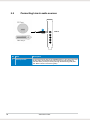
Connecting to a TV tuner card
If you have a traditional PCIE or PCIE TV tuner card on your PC, you may
need to connect it to the Xonar DSX card to send the tuner card’s sound to
your PC speakers.
Secure the PCIE/PCIE TV tuner card and screw it into the back-panel.
Connect the audio output header from the TV tuner card to the Aux-In header
of the Xonar DSX card.
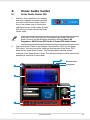
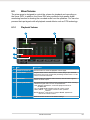
For optimum TV audio quality, Xonar DSX uses ADC recording to
digitize the signal and loops it back to DAC playback. Select Aux-In as
the recording source in the Xonar DSX Center’s recording mixer and
enable the monitoring button to pass this signal to the audio output.
Using this setup, you can even turn on sound effects such as ProLogic IIx to expand the stereo TV audio to 5.1 or 7.1 channel surround
sound. TV audio on your PC will become even better than on your TV
set.
ASUS Xonar DSX