1
User Manual DR-512
6.6
SETUP mode
Seven items are offered and can be selected in this SETUP mode as below.
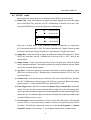
(1) Smpte Trig : enter this submenu to trigger the Smpte signals and to set the trigger
time. Press NEXT key, and then use UP / DOWN keys to choose Yes or No (Y/N),
and press ENTER key to enter the trigger time setting mode.
I01
E01
►
00:00:00:00
■
00:00:00:00
►
00:00:00:00
■
00:00:00:00
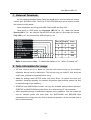
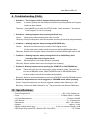
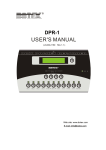
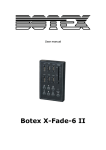
there are 8 Trigger times to be amended availably, respectively for sequences
I01~I04 and sequences E01~E04. The interval between two Trigger Times is at least
2 seconds. Should the Trigger time be zero, that means the Trigger time unset.
(2) Smpte Rec : under this mode to enable or disable the Smpte Record function. Press
NEXT key, and then use UP / DOWN keys to choose “ON” or “OFF” item as the
user’s desire.
(3) Smpte Frame : used to set relevant frame levels of Smpte time. 24/25/30 frames
can be selected availably. The relevant preset level must be identical with the frame
level of the received Smpte signals.
(4) Sys Time : to set the system time for internal operation or external operation. Press
NEXT key, and then use UP / DOWN keys to choose the option of “IN” or “EXT” as
the user’s desire.
(5) Format Card : enter this submenu to format the CF card. Press NEXT key, and then
use UP / DOWN keys to choose Yes or No (Y/N) as your desire. Before formatting,
please choose “Y” and press ENTER key to format the CF card.
(6) First Trigger Time : this item is related with Smpte Trig and Smpte Rec. Under this
mode, user can see the current recorded Smpte trigger time. (the First trigger time
can be got after the Smpte signals have been triggered and the relevant trigger time
have been set. The Smpte trigger time can be recorded only under the condition that
not all the DMX level are in zero.)
(7) Lock Program : enter this submenu to lock or unlock the PRG mode, LCD will show
you Yes or No (Y / N) to select as your desire. Choose your option and press “Enter”
to confirm, The LCD will respectively inform you of the “Lock Program!” or “Unlock
Program!” display. If you choose “Y”, the Program mode will be in hidden state.
9