1
Page 45
_____________________________________________________________________________
Manipulating
The Frame
and
Objects
and Box
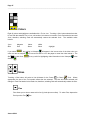
Tools create objects (
and
) that can be moved or re-sized.
These operations are performed by grabbing a corner of a frame
or box
as described
below. Any tool except Mouse
may be selected.
To move a frame
, position the current Tool symbol inside the lower left-hand
or box
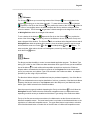
corner or the upper right-hand corner of the object until the hand
symbol appears. Depress the
Pen tip, move the object to the desired location, and release the Pen tip.
To re-size a frame
or box
, position the Tool symbol inside the upper left-hand corner or
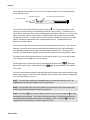
the lower right-hand corner of the object until the re-size
symbol appears. Depress the Pen tip
and expand or shrink the object to the desired size by expanding or shrinking the diagonal.
Release the Pen tip when the object is the desired size. Activating any corner will also cause any
WritingPad-generated data on the frame
or box
to be erased.
Up to eighteen (18) frame
and box
objects may be moved or re-sized. If more than
eighteen 18 objects are created, only the first sev enteen (17) and the last one may be
manipulated.
A frame
or box
drawn over previously generated WritingPad information will erase that
information. Moving or expanding a box
over. Erasing any corner of a frame
frame
or box
disappears.
. A frame
will destroy any WritingPad information it passes
or box
or box
will destroy the ability to move or re-size that
may also be destroyed by shrinking it until it
Large Eraser
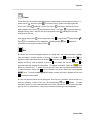
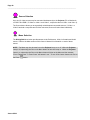
The Large Eraser is available as a Tool
and conditionally available (see Preference Menu) on
the upper barrel button of the Pen. When the Large Eraser is selected by either method, the Tool
symbol will change to a
and allow you to erase any WritingPad data that passes under
while the Pen tip is depressed. When you are done erasing, select another Tool.
Aurora S500