1
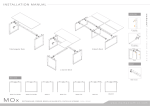
I N S TA L L AT I O N M A N U A L
b.
a.
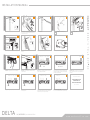
Mount connector to endlegs with cap screws.
5.
2.
Cap Screw
1.
JCBC Screw
1.
Rectangular - Place main worktop on frame.
Slide connector into beam.
a. Push plastic stopper (a) away from leg. b. Push down stopperhead (d)
into centre gutter. c. Fit round axis over hexagon shaft inside connector.
d. Pull stopper head out of gutter.
2
x4
3
x8
Rectangular (bottom view) - Assemble from 1 to 6.
4
M3 x 13mm
S/D Screw
x4
3.
Allen Key
M5
c.
1
M3 x 13mm
x4
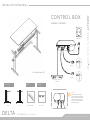
View up-side-down - Mount control box with S/D screws from bottom
of worktop.
Attach control panel with S/D screws at the bottom of worktop.
View up-side-down - Press cable fingers into the rail depend on needs.
2
Memory 1,2,3,4
SET TING
CABLE MANAGEMENT
1
1
2
3
Bottom view - Tidy up all the cables, slot it into the cable fingers.
Display
Memory 1,2,3,4
2
S
3
4
Up Down
Bottom view - Stick cable clips (depend on needs) under the worktop
for cable management.
4
065
2
S
3
4
s000-
4
Up Down
S
2
Down
1
--000
2
Display
3
4
3
4
S
2
Up Down
1
062
S
2
3
4
3
070
Handset 62cm - 85cm
Handset
Memory 1,2,3,4
1
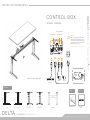
Control box completed look. Refer to front page control box assembly.
1
Start up - Turn on the main power supply before setting. Once the
power is on, display flashes show 000 or ---.
5
1
Display
S
Store memory
1
2
6.
M8 x 16mm
M8 x 100mm
Cap Screw
S/D Screw
W OR KTOP
a.
Allen Key
M6
1
4.
d.
x2
C ONTROL BOX
3
2
M6 x 12mm
HV VE R SI ON
1
Press and hold the down button until the lowest position 062 is reached
(show in display, stop flashing), system is ready for further programming,
the maximum reachable height is 085.
6
s0001
7
Memory 1,2,3,4
1
S
2
3
Normal operation - Press and hold up or down until the desired
height of the desk has been reached, the display always shows the
actual height.
PLEASE REFER TO MARKANT
4
MOTOR CONNECTOR SET
USER MANUAL FOR
HEIGHT ADJUSTABLE DESK
065
FOR FURTHER HELP
Store memory
Store memory
Saving preferred height - 4 preferred heights can be saved.
D E LTA
Move to the desired desk height. Press the store memory ‘S’. You will
see the display shows ‘S - ‘.
HV (MOTORIZED) - ALUMINIUM BEAM
Press one of the memory keys, 1,2,3,4, and the number of the position
height is displayed, a double click is heard at the end of memory saved.
Repeat the same step of this for other preferred heights.
Moving to a saved preferred height - Press and hold one of the
keys, 1, 2, 3, 4, the desk will moves towards to the preferred height.
www.markantoffice.com

![HomeSullivan 405302C-36(3A)[5PC]-24 Instructions / Assembly](http://vs1.manualzilla.com/store/data/006934919_1-e03850bf919880fd79dd10f337eb5deb-150x150.png)