1
English
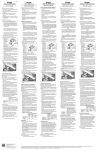
Function key F
Functions Key
F
Copy report on
USB-KEY
Function F key allows
selecting the following options.
To select the option, use Arrow
keys (up and down), and
confirm with right Arrow key or
with Enter.
To copy Reports, connect a
USB pen drive inside the
special Equipment USBconnector, and launch the
digital printout. Reports will be
copied on the USB pen drive
Help on line
Date
Info
Copy report on USB-KEY
Help on line
Help on line
Language
selection
HOME
Copy report on USB-KEY
Help on line
Language selection
Date
Info
Tetrix
Enter Password
Setup
Tool switch OFF
Select the diagnosis displaying
language.
To select the language, use
Arrow keys (up and down),
and confirm with right Arrow
key or with Enter.
Date and Time can be set in
the Set-Up menu. Use the
alphanumeric keypad, and
press Enter to confirm.
Information relating to
displaying software version
and Diagnosis Data Base.
21
Language selection
Date
Info