1
Elnec s. r. o.
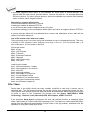
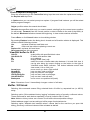
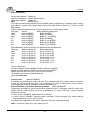
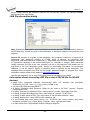
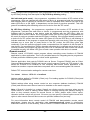
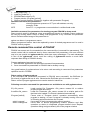
1. Load project (/Prj:...)
2. Load file (/Load file:...)
3. EPROM/Flash select by ID
4. Program device (/Program[:switch])
5. Close of control program (/Close only together with parameter /Program)
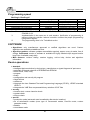
Available command line parameters:
/Axxx
check programmer present on LPT port with address xxx only
example: /A3bc
/SPP
force PC <-> programmer communication in unidirectional mode
Available command line parameters for starting program PG4UW in demo mode
Demo mode is useful in situations, when no programmer device is available. Demo mode can
be used by clicking button Demo in dialog Find programmer or by command line parameter
/demo. Recommended usage of the parameter is:
pg4uw.exe /demo /<programmer name>
where <programmer name> has to be replaced by name of wished programmer as it is used in
PG4UW control program.
Remote command line control of PG4UW
PG4UW can accept set of commands from the command line (command line parameters). The
remote control can be achieved also by these command line parameters, but more efficient
way is to use special tool pg4uwcmd.exe, which has many advantages. The main advantage
is size of the pg4uwcmd, which result the calling of pg4uwcmd results a much faster
response than calling of PG4UW directly.
Program pg4uwcmd.exe can be used to:
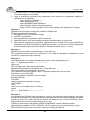
1. start PG4UW application with specified command line parameters
2. force command line parameters to PG4UW that is already running
Very good feature of pg4uwcmd.exe is its return code according to command line parameters
operation result in PG4UW.
Return values of pg4uwcmd.exe
If the command line parameters processed in PG4UW were successful, the ExitCode (or
ErrorLevel) of pg4uwcmd.exe is zero. Otherwise the ExitCode value is number 1 or more.
Return value of program pg4uwcmd.exe can be tested in batch files.
Following executive command line parameters are available to use with pg4uwcmd.exe
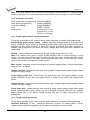
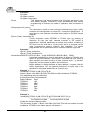
/Prj:<file_name>
/Loadfile:<file_name>
/Program[:switch]
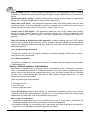
switch 'noquest'
switch 'noanyquest'
Loads project file. Parameter <file_name> means full or relative
project file path and name.
Loads file. Parameter <file_name> means full or relative path to file
that has to be loaded. File format is detected automatically
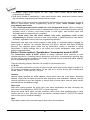
Forces start of "Program device" operation automatically when
program is starting, or even if program is already running. Also one
of following optional switches can be used:
forces start of device programming without question
forces start of device programming without question and after
operation on device is completed, program doesn't show "Repeat"
operation dialog and goes directly into main program window
162