1
.
'1
Pbam rrc dctill
",,1i:iHlr,:
ln chaPter
fl
ke)/ ot
can be set as shorEut
arphabeb Kev 2-e
Attention:
m Frequent erasing and writing will shorten a memory card's
.P!.d dlrl'
\il.l:,Jg- *"
Slide up the fixture and PUt it uP.
cetthe card out.
2
4 1 'l '
!
R + and
as''
w'
rn idre mode' hord
it
il
r
f$s}ffi::};#:ifi"$:ilr*e*tstatus
-;"lii,lii;fi
itto crear and cancer'
fl
5
XiJ"s
K CHANGE:t kcy
method
itto chanss the input
\$;;;,;t"ss
^i#i'ilm;"T;?
*e
means
then roosens HoLD
3'":H:
Ca'd
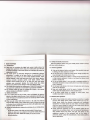
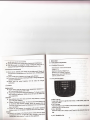
2.'1.! Uslng T-Flash
"iim::;";t*;il::ri$TJ'Hgfl"""*"'.oo'"nu"'.,'n"
lifespan.
Do not remove a memory card from the phone or turn off the phono
while data is being accessed or transferred. This could result in loss of
data and/or damage to the card or phone.
Do notsubject memory cards to strong shocks.
Do nottouch memory card terminals with your fingers or metal objects.
lf dirty, wipe the card with a soft cloth.
Keep memory cards away from small children or pets.
Do not expose memory cards in a place sub.iect to electro statlc
discharge and/or electrical noise.
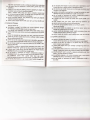
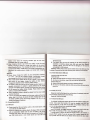
:,.2 Batteries
Batteries have been charged to 50% full. lt can be used after unpack
tohlly discharged before charging. lt
w ll help to prolong the batteries lifespan and working quality.
I
lre first three times batteries must be
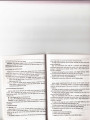
2.2.1
Changing a battery
Please follow the steps to remove the battery:
TT*lJ,r:i?li;t
lot; u;r"""
t*
l'H::
, nk.
""'d
raber
card srot with the
card into the memorv
place'
untl it hcks into
the phone'
disergased rrom
H?:i'."flLrd so that it is
card outofthe slot'
E
Push the back cover backward.
u
Liftthe battery up to remove
it.
Please follow the steps to install a battery:
a
q
Place the top part of the battery to connect with grooves on tho
phone.
Push the battery downward till itclicks into place.
tho
*u ..rl
capacty'
your phone's memory
tltc T-Flash card to enlarge
;itrrsrY r.rro
stot ls below the battery'
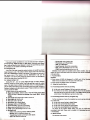
2 2.2
Connect the adapter into the left of the phone.
Battery charging indicator sign will flash; if mobile phono ls switch off
during charging, the indicator sign will show on the scroon. lf the
s
[tl#*"i',ff
ilfl3al
Ftscr r'trd
Charglng a batierY
PIug the charger into the socket.
':tu*tm:;t"""-