1
2. XE Skin Basic
2.2
Understanding CSS
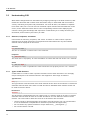
While HTML changes data into information by assigning meaning to the Web document, CSS
makes the document that contains such information easy to understand and convenient to
view by controlling its layouts and presentation. For most XE skins, the CSS file is separate
from HTML code, but a user will see the combined output of both HTML and CSS files on the
screen, as the HTML document refers to the corresponding CSS file when displaying the
content. Having good knowledge and experience in CSS allows you to neatly decorate your
documents, and increases your fluency in HTML.
2.2.1
Selectors, Properties, and Values
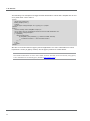
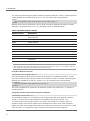
CSS consists of selectors, properties, and values. A selector is used to select a specific
element from an HTML document. Its properties and values define the way the selected
element will be displayed on the screen.
Selectors
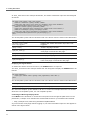
h1 { font-size:24px; }
The "h1" is a selector. It refers to the <h1> element.
Properties
h1 { font-size:24px; }
The "font-size" is a property. It is the declaration to control the font size of the <h1> element.
Values
h1 { font-size:24px; }
The "24px" is a value. It specifies the value of the font-size property for the <h1> element.
2.2.2
Types of CSS Selectors
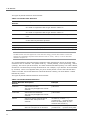
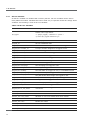
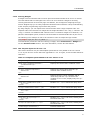
A CSS selector is used to select a specific element from an HTML document. You can apply
unique CSS styles to the selected element. CSS supports a wide range of selectors.
Type Selectors
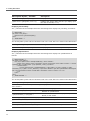
h1 { … }
The type selector uses the name of an HTML element as the name of the selector. It selects all
elements with the same name from an HTML document. Standard HTML element names can
be used as selector names.
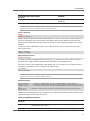
ID Selectors
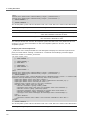
#selector { … }
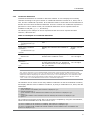
The ID selector is distinguished by the number sign (#) placed in front of its name. It selects
elements with the same ID value in an HTML document. You can define the name of an ID
selector. The rules used to define the name of an ID selector are as follows:
18
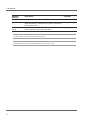
•
Use any words in natural language as the name of an ID selector, but it is recommended
to use a combination of alphanumeric characters (lowercase and uppercase).
•
Do not contain any special characters except underscore (_) and hyphen (-).
•
Do not start with a numeral.