1
FLIGHT CENTER
IMPORT OR CREATE A FLIGHT PLAN (continued)
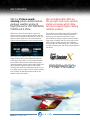
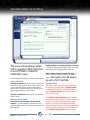
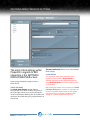
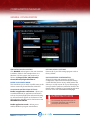
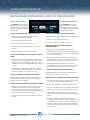
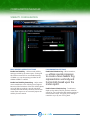
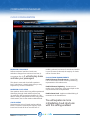
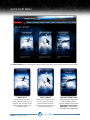
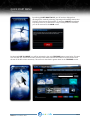
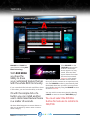
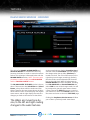
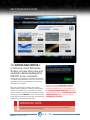
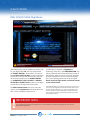
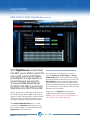
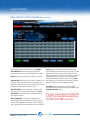
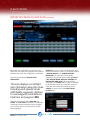
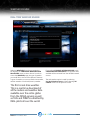
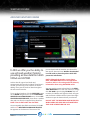
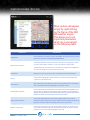
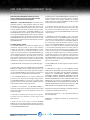
When REX has completed the compiling of the
flight plan, the screen above appears. This example
illustrates the result after a flight plan is submitted.
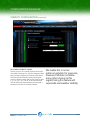
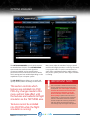
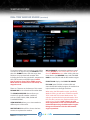
Note the section labelled FLIGHT PLAN
WAYPOINTS.
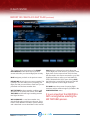
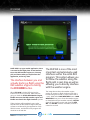
This area displays crucial flight
plan information along the route
including wind speeds, winds
aloft details, waypoints, distance
to next waypoint, total distance,
total time and waypoint ID’s.
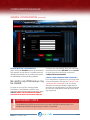
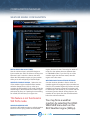
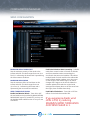
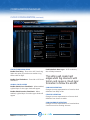
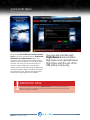
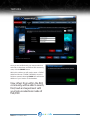
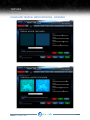
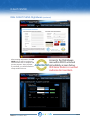
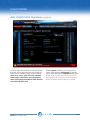
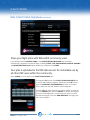
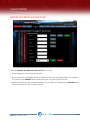
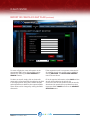
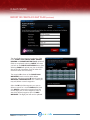
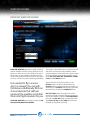
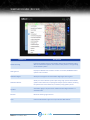
SHARE allows you to share your flight plans with
fellow REX community users. If you already entered
a PROFILE NAME in the CONFIGURATION
MANAGER then this field is automatically
completed. Complete all fields, including FLIGHT
TYPE, AIRLINE NAME, AIRPORT PARKING and
DEPARTURE TIME (local). When all fields are
completed, click SHARE and your plan is uploaded
to the REX data servers for immediate use by all
other REX users within the community. Select
CANCEL to return back to the FLIGHT PLAN
DETAILS area.
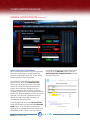
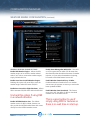
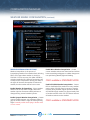
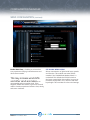
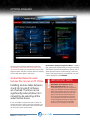
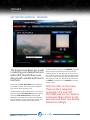
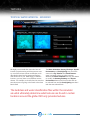
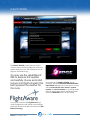
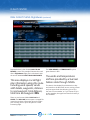
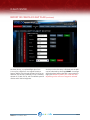
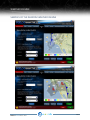
There are two buttons labeled NAV LOG and
SHARE. The NAV LOG button opens a notepad file
containing pertinent information about the flight
plan. You may save or print this plan for a more
interesting flight.
PRODUCTMANUALV3.3 / V3.7
PAGE 54