1
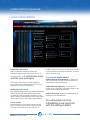
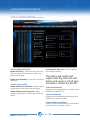
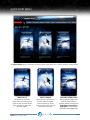
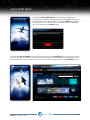
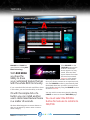
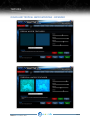
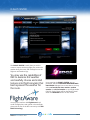
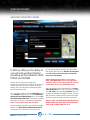
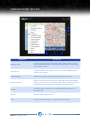
RECOMMENDED PREPAR3D SETTINGS
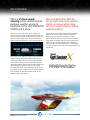
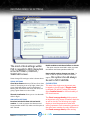
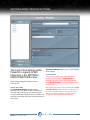
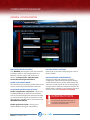
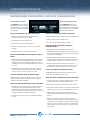
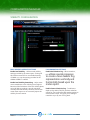
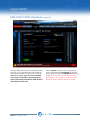
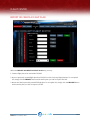
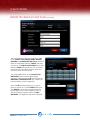
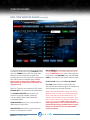
The most critical settings within
Prepar3D in regards to REX
interaction is the SETTINGS/
DISPLAY/WEATHER screen.
Please change Prepar3D settings to what is
shown above.
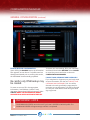
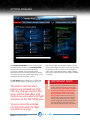
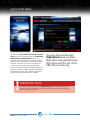
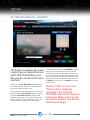
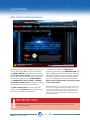
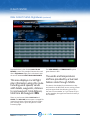
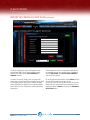
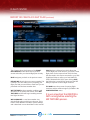
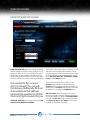
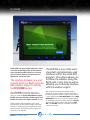
VISUAL SETTINGS
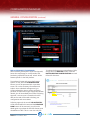
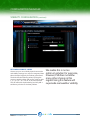
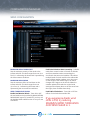
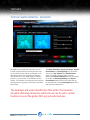
The Cloud draw distance setting instructs
Prepar3D how far to draw clouds. If the setting is
set to full-right (110mi), cirrus clouds will appear
cut-off in the distance. Backing this off to 100mi will
rectify this issue while still giving a great distance to
view clouds.
PRODUCTMANUALV3.3 / V3.7
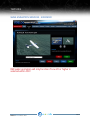
Thermal visualization allows you to view thermals
while in-flight.
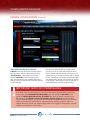
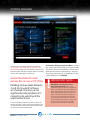
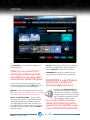
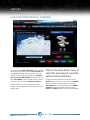
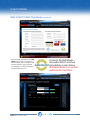
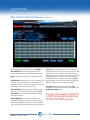
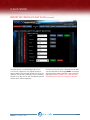
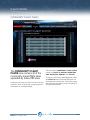
CLOUD DETAIL
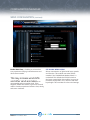
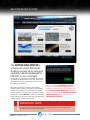
This area is the single most important area in
regards to cloud visuals. If Simple clouds is
checked, Prepar3D will NOT utilize REX textures.
Select Detailed clouds for full functionality of REX
cloud textures.
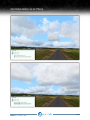
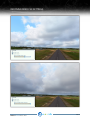
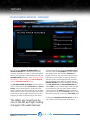
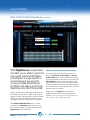
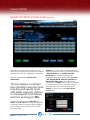
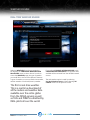
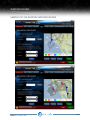
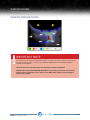
Many folks aren’t aware of this, however, the Cloud
coverage density slider presents an important roll
in terms of weather depiction and visuals. Please
view the previous two pages in regards to this
setting as it functions the same within FSX.
PAGE 12