1
SINUS PENTA
INSTALLATION
INSTRUCTIONS
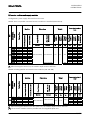
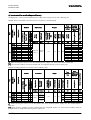
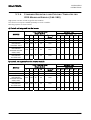
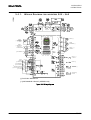
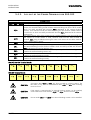
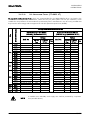
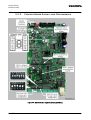
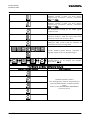
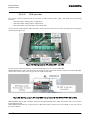
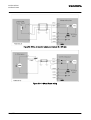
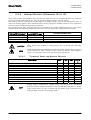
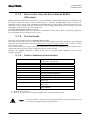
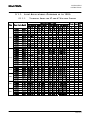
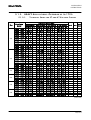
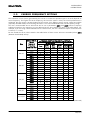
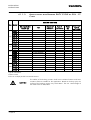
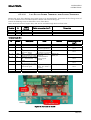
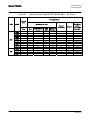
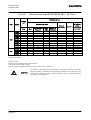
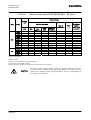
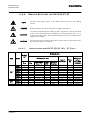
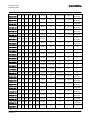
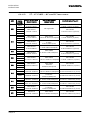
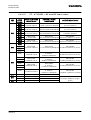
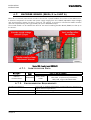
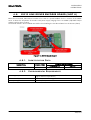
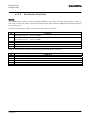
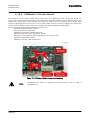
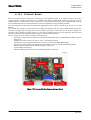
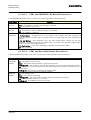
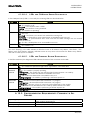
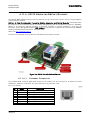
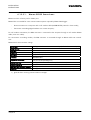
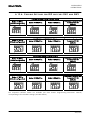
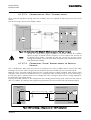
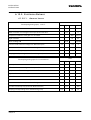
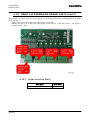
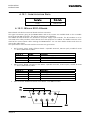
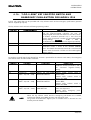
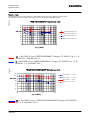
6.13.6. P OSSIBLE S ETTINGS
FOR
DIP
SWITCHES
SW1
AND
SW2
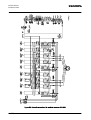
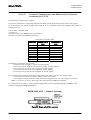
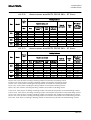
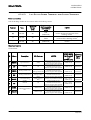
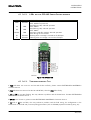
Configuring Slow Analog Channel XAIN8
Mode: 0-10V f.s.
(Default configuration)
Mode: 0-100mV f.s.
SW1
ON
2
3
4
SW1
ON
2
1
Temperature Reading with
Thermistor PT100
(default)
SW1
SW1
ON
1
Mode: 0-20mA f.s.
3
4
1
ON
2
3
4
2
1
3
4
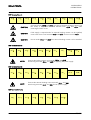
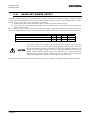
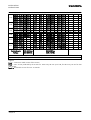
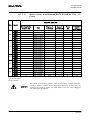
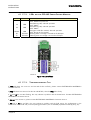
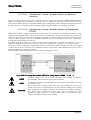
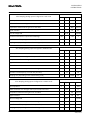
Setting Slow Analog Channel XAIN9
Mode: 0-10V f.s.
(Default configuration)
Mode: 0-100mV f.s.
SW1
6
7
3
SW1
ON
8
5
6
Temperature Reading with
Thermistor PT100
(default)
SW1
SW1
ON
5
Mode: 0-20mA f.s.
7
ON
8
6
3
5
7
ON
8
5
6
7
8
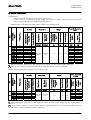
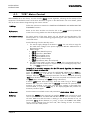
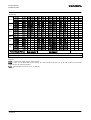
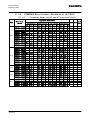
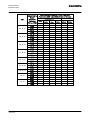
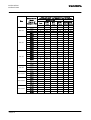
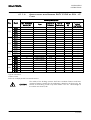
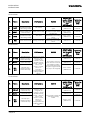
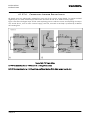
Setting Slow Analog Channel XAIN10
Mode: 0-10V f.s.
(Default configuration)
Mode: 0-100mV f.s.
ON
3
4
1
SW2
ON
ON
2
2
Temperature Reading with
Thermistor PT100
(default)
SW2
SW2
SW2
1
Mode: 0-20mA f.s.
3
4
1
ON
2
3
4
1
2
3
4
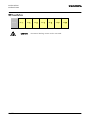
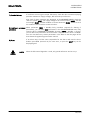
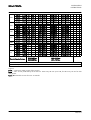
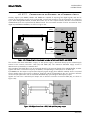
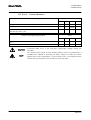
Setting Slow Analog Channel XAIN11
Mode: 0-10V f.s.
(Default configuration)
Mode: 0-100mV f.s.
SW2
6
7
3
8
SW2
ON
5
6
Temperature Reading with
Thermistor PT100
(default)
SW2
SW2
ON
5
Mode: 0-20mA f.s.
7
8
ON
5
6
3
7
8
ON
5
6
7
8
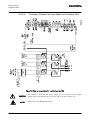
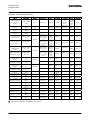
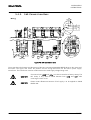
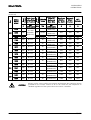
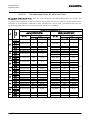
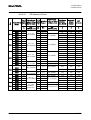
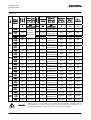
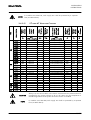
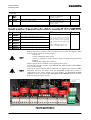
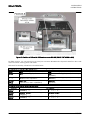
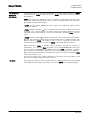
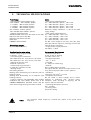
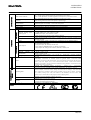
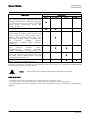
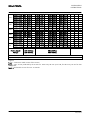
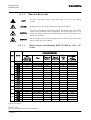
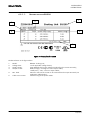
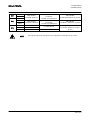
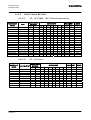
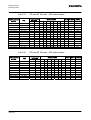
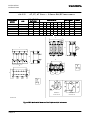
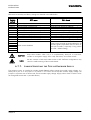
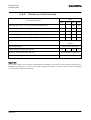
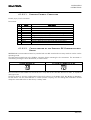
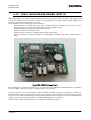
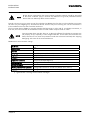
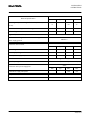
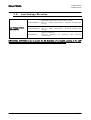
Five acquisition software modes are available (see Sinus Penta’s Programming Instructions manual)
corresponding to four hardware settings (see table below).
331/373