1
Troubleshooting
Establishing a TCP/IP Connection
Check that the modem is enabled (see Comm > Connect). The Modem
Enable box must have a check.
Problem: The modem dials the phone number but a connection is not
made.
Check that the baud rate of the local modem matches the baud rate of the
remote modem.
Verify that the remote modem is configured to answer incoming calls. For
more information about programming modems, see the “Installation”
chapter.
Check that the remote modem is on.
If the call is long-distance, you may need to increase the Dial Timeout (see
File > Preferences). Long-distance calls take longer to connect than do local
ones.
The line may be busy.
Problem: A connection is made, but the instrument does not
communicate.
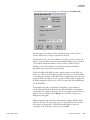
Check that the Instrument ID number defined in Instrument > Poll
matches the Instrument ID number defined in the instrument's Instrument
Controls menu. Use Poll > All if you cannot verify the instrument ID
setting.
Check that the baud rate of the remote instrument(s) matches the baud rate
of the remote modem. With a modem connection, iPort, the remote
modem, and the remote instrument(s) must all have the same baud rate.
Establishing a TCP/IP
Connection
Problem: iPort does not communicate via TCP/IP connection with an
instrument.
Be sure the cable is the correct type for the TCP connection. A straight thru
cable for a router and a crossover cable for a direct computer connection.
Be sure the IP address of the instrument is set correctly, as well as the
gateway and mask.
If using DHCP, be sure an IP address was gotten by looking at the
instrument communications TCP menu to verify the license.
7-2
iPort Instruction Manual
Thermo Fisher Scientific