1
Lynx Plus Series Installation and Setup Guide
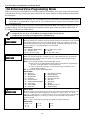
✻80 Device Programming Menu Mode
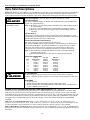
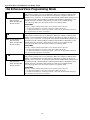
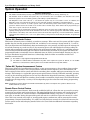
Upon a Zone Type or System Operation - Zone Type/System Operation: Instead of using a “RESTORE
ZONE LIST”, a specific zone (response) type or system operation action can be selected to de-activate the
device.
If a specific “ZONE TYPE” is chosen, any zone of that response type that restores from a previous alarm,
trouble, or fault condition will cause the device to de-activate.
If a “SYSTEM OPERATION” is chosen, that operation will cause the device to de-activate.
During normal system operation, any devices may be:
• Manually started by keypad entry of: Code* + [#] + 4 + “nn;” OR
• Manually stopped by keypad entry of: Code* + [#] + 7 + “nn,” where “nn” = the 2-digit device
number to be controlled.
* Code is required for devices 07 and 08. For devices 01-06, code is not required. See User Manual for more
information.
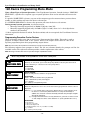
Programming Powerline Carrier Devices
While in Program mode, press ✻80 to enter Device Programming Menu Mode. This mode is used to
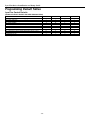
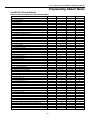
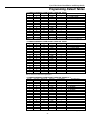
program all output devices used in the system. Refer to the output device table for ✻80 on the
separate programming form when programming output devices.
Note: The House ID of the Powerline Carrier Devices must be entered in data field ✻25.
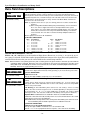
The following explains these prompts in detail. The left two columns identify the prompts and list the
available entries. The right-most column provides a further explanation of the entries.
Note: Entering a number other than one specified will give unpredictable results.
ZT16 is only available on the LynxSIA Plus version of the control panel.
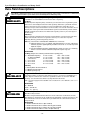
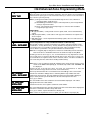
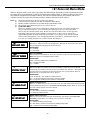
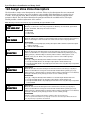
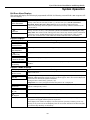
80
DEVICE PROG MENU
Powerline Carrier Device Programming
Entering “0” exits mode, upon which this prompt blinks, indicating that the mode is
inactive. Entering “1” advances to the next prompt below.
SELECTIONS
0 = exit mode
1 = enter mode
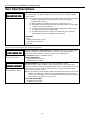
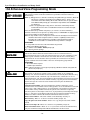
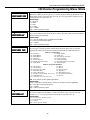
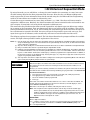
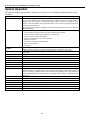
A01
DEVICE NUMBER
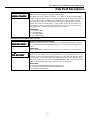
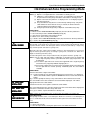
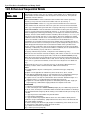
b
DEVICE ACTION
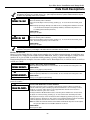
Device Number
Enter the 2-digit device number to be programmed.
SELECTIONS
01-08 = X10 device number to be programmed
09-16 = Multi-mode (e-mail) event triggers
[✻] = continue
00 = exit Device Programming mode
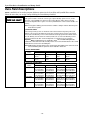
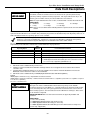
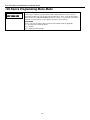
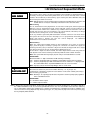
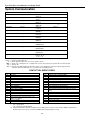
Device Action
Enter the 1-digit device action (0-3) for the device being programmed (current action is
displayed).
Notes: (1) If “3” is entered (pulse), only up to 3 different devices can be pulsed if one of
the devices is a siren/horn (X10 Powerhouse Security model SH10A). In
addition, the siren/horn cannot be manually activated using the lights on/lights
off keypad commands.
(2) If using an X10 Powerhouse Security SH10A siren, you must use device action
“3” and change the device action default to “3” (if using default table 2 or 4).
SELECTIONS
0= No response
1 = Close for 2 seconds
2 = Close and Stay Closed
3 = Continuous Pulse on & off (1 sec ON, 1 sec OFF)
[✻] = continue
[#] = return to previous prompt
- 44 -