1
Lynx Plus Series Installation and Setup Guide
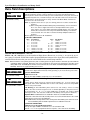
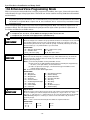
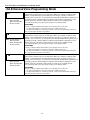
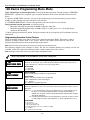
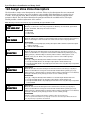
✻83 Enhanced Sequential Mode
Ib
SERIAL NUMBER
Serial Number
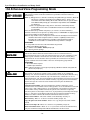
This prompt can be used to enroll the transmitter serial number via RF transmission or
manually. If using the RF Learning Mode there is no need to manually enter a serial
number. Proceed directly to RF Learning. Upon entering the Serial Number mode, the
Zone Descriptors will be announced.
Note: BR type devices can be enrolled only by transmission from BR devices. Likewise, UR
and RF devices can only be enrolled by transmission from a UR or RF device
RF Learning
Two (2) transmissions (2 key depressions) at least five seconds apart, will be required for
BR type or four (4) transmissions (fault, restore and fault, restore) for UR or RF type. If
the learned serial number has a different loop number than that entered in ✻56 the
system will announce the Voice Descriptor, if it is programmed, followed by two beeps
and will return to Prompt (1A) and “L” will be displayed.
If the loop number captured by RF transmission and that entered in ✻56 mode match,
the system will announce the Voice Descriptor, if it is programmed, followed by three
beeps and return to Prompt (1A) and “LC” will be displayed.
No additional
transmissions are needed for confirmation.
Manual Entry
Enter the 7-digit serial number printed on the transmitter. If you enter an incorrect
digit, press the [#] key to backup to prompt (1A) and start over. When all 7 digits are
entered, press the [✻] key. If less than 7 digits are entered, the keypad will emit a single
long beep and return to the (1A) prompt without displaying the “L”.
If more than 7 digits have been entered, the first 6 digits will be saved along with the
last digit that was entered (entering 123456789 yields the serial number 1234569).
Note: The system will return to prompt (1A) if an entry is not made within 52 seconds.
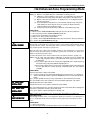
SELECTIONS
Enter transmitter’s 7- digit serial number via RF learning or manually.
[#] = return to (1A) prompt and reject whatever serial number entries have been made.
[✻] = return to (1A) prompt (if a valid serial number has been enrolled, “L” is displayed and
the serial number will be copied into EEROM and the last serial entered buffer.
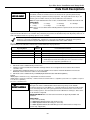
Note: For zones 26, 30, 34 and 38 only BR type devices can be used.
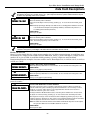
F
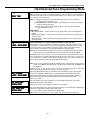
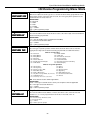
DELETE ZONE CONF
Delete Serial Number
This function deletes only the serial number. Entering a “9” at prompt (1A).
Confirmation of the delete request will cause deletion of the serial number pertaining to
the zone being programmed.
Note: Entering a “9” at prompt (1A) will cause the panel to return to prompt (1A) regardless
of the confirmation answer.
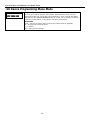
SELECTIONS
0 = discard the delete request
1 = confirm requested delete
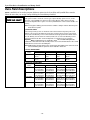
Note: In Enhanced Sequential Learn Mode, 4 button type keys will always be learned simultaneously. They will be stopped at
the 4 button boundaries of 26, 30, 34 and 38, provided the zone is free of a serial number. If the first zone of the key
has a serial number learned, the remaining keys cannot be programmed in sequential learn mode. In addition, if the
zone has not been set up (duplicate loop, missing zone type, etc.) only entries 0 (skip to the next zone) and 4 (copy
the key template) will be allowed.
- 51 -