1
FOR STARTERS
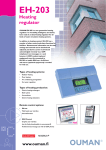
Congratulations on your excellent choice! You have arquired a diverse new generation heating regulator designed for residental and office
buildings - most a top - of - the - line product which can be adapted to the
most diverse locations and heating systems.
Next we will introduce the regulator and the basic principles for using the
user manual.
Userpanel
Regulating circuit
code indicates the regulating circuit in question
(heating circuit H1
shown here).
The example shows
the regulating circuit’s
operating mode.
Symbols which indicate
actuator control mode.
Regulator opens the 3-point
controlled actuator.
Regulator closes the 3-point
controlled actuator.
Browse button moves
the > cursor up and
down.
H1 Automatic
Outdoor -15°C
SupplyTemp52°C
>Selection
Group select - button
note in use in 201GT
Height up the pillar shows
the position of the voltage
controlled actuator.
Valve is fully open (100%)
and the control voltage is 10 V.
Valve is fully closed (0%) and
the control voltage is 0 V or
2 V (2 ... 10 V actuator).
Decrease
button
OK button
Increase button
When you press +
button in adjoining
basic display mode, the
regulator displays all the
measurement results in
turn and then returns to
the basic display mode.
Remote control options:
Remote control via a GSM phone
Most of 201GT’s user level functions can also be carried out via
GSM phone text messages.
Text message use is illustrated on page 18.
INFO button
-gives operating
instructions and
additional information on the display in
different situations.
ESC-press to
return to the
previous display