1
chemlab Documentation, Release 0.4
Returns
A System instance.
Example
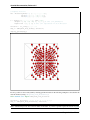
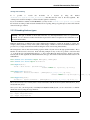
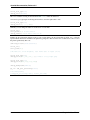
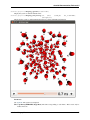
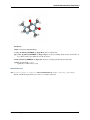
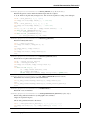
Typical box with 1000 water molecules randomly placed in a box of size [2.0 2.0 2.0]:
from chemlab.db import ChemlabDB
# Example water molecule
water = ChemlabDB().get('molecule', 'example.water')
s = random_water_box([water], [1000], [2.0, 2.0, 2.0])
3.2 chemlab.io
This package contains utilities to read, write a variety of chemical file formats.
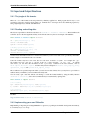
chemlab.io.datafile(filename, mode=’rb’, format=None)
Initialize the appropriate IOHandler for a given file extension or file format.
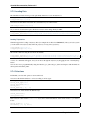
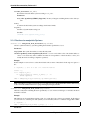
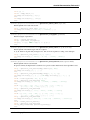
The datafile function can be conveniently used to quickly read or write data in a certain format:
>>> handler = datafile("molecule.pdb")
>>> mol = handler.read("molecule")
# You can also use this shortcut
>>> mol = datafile("molecule.pdb").read("molecule")
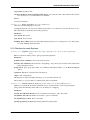
Parameters
filename: str Path of the file to open.
format: str or None When different from None, can be used to specify a format identifier for that file. It should
be used when the extension is ambiguous or when there isn’t a specified filename. See below for a list of
the formats supported by chemlab.
chemlab.io.remotefile(url, format=None)
The usage of remotefile is equivalent to chemlab.io.datafile() except you can download a file from a
remote url.
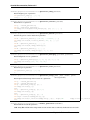
Example
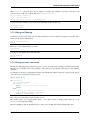
mol = remotefile(“https://github.com/chemlab/chemlab-testdata/blob/master/3ZJE.pdb”).read(“molecule”)
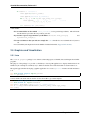
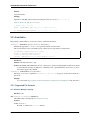
3.2.1 Supported File Formats
cml: Chemical Markup Language
Extension .cml
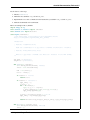
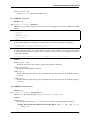
class chemlab.io.handlers.CmlIO(fd)
The CML format is described in http://www.xml-cml.org/.
Features
read(“molecule”)
Read the coordinates in a Molecule instance.
58
Chapter 3. Reference Documentation