1
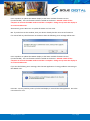
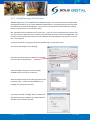
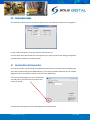
Press <Update> to update the HiBeam display to the latest available firmware version
(recommended). The new firmware will be installed on the device. DO NOT switch off the
computer or remove the LINK2 modem until this is complete – doing so may leave the display in
an unrecoverable state.
Alternatively, press <Not now> to update firmware at a later time.
NB: If you did not see this window, then your device already has the most current firmware.
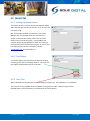
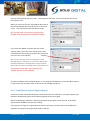
If it cannot find any valid firmware on the device then the following error message will be seen:
Press <Update> to update the HiBeam display to the latest available firmware version
(recommended). The new firmware will be installed on the device. DO NOT switch off the
computer or remove the LINK2 modem until this is complete – doing so may leave the display in
an unrecoverable state.
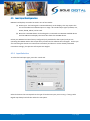
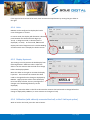
If you see the following error message, then the FSU application is having problems connecting to
the HiBeam unit:
Press OK. You may need to power cycle the load display or reinstall the FSU application. Go to the
next section for now.
© CASWA Pty Ltd – 2013
11 | Page