1
Neevia PDFsign/encrypt v3.5 user’s manual
last modified: May 20, 2013
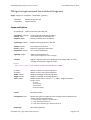
PageMode
Specifies how output file should be displayed when opened in PDF viewer.
Possible values:
0 - Default view
1 - Page only
2 - Outlines (bookmarks) visible
3 - Thumbnail images visible
4 - Optional content group panel visible
5 - Attachments panel visible
6 - Full screen mode
Syntax
NVsign.PageMode = value
Data Type: Long
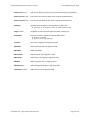
PageLayout
Specifies page layout to use when output file is opened in PDF viewer.
Possible values:
1 - Displays one page at a time (default)
2 - Displays the pages in one column
3 - Displays the pages in two columns, with odd numbered pages on the left
4 - Displays the pages in two columns, with odd numbered pages on the right
5 - Displays the pages two at a time, with odd numbered pages on the left
6 - Displays the pages two at a time, with odd numbered pages on the right
Syntax
NVsign.PageLayout = value
Data Type: Long
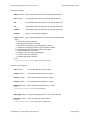
OpenMagnification
Specifies the open magnification (in %) for output PDF file. Default value: 100
Syntax
NVsign.OpenMagnification = value
Data Type: Long
OpenAtPage
Specifies the open page for output PDF file. Default value: 1 (first page)
Syntax
NVsign.OpenAtPage = value
Data Type: Long
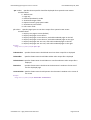
FitWindow
Specifies whether the PDF viewer should resize the document's window to fit the size of the first displayed
page.
Possible values: true, false
Syntax
NVsign.FitWindow = value
Data Type: Boolean
neeviaPDF.com - high performance PDF tools
Page 21 of 42