1
No.E0503
Enhanced Operating Panel (Version 2.32)
1. Panel Start Setting
The teach pendant provides the following setting for displaying operating panel
screen software when the controller boots or pressing [F5 Panel].
New panel start setting
0:Panel start
setting
parameter
0
1:Start-Panel
Displaying operating panel screen software
Path setting
−
When the controller boots, the panel does not display.
And when pressing [F5 Panel], the panel described in the current
folder* of the program list screen displays.
1
Necessary
When the controller boots, the panel specified by the “Start-Panel
Pass setting” displays automatically.
And also when pressing [F5 Panel], the panel described in the
current folder of the program list screen displays.
2
Necessary
When the controller boots, the panel does not display.
And when pressing [F5 Panel], the panel specified by the
“Start-Panel Pass setting” displays.
3
Necessary
When the controller boots, the panel specified by the “Start-Panel
Pass setting” displays automatically.
And also when pressing [F5 Panel], the panel specified by the
“Start-Panel Pass setting” displays.
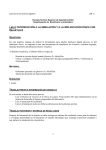
Tip: The screen below shows the “current folder of the program list screen”.
2