1
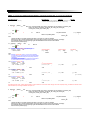
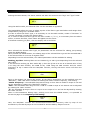
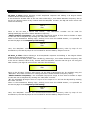
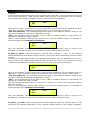
TX:
STX
ID_M
ID_N
CMD
D0
D1
D2
D3
D4
D5
D6
D7
ETX
F0H
C3H
XX
1BH
NPreset
00H
00H
00H
00H
00H
00H
00H
F7H
XX = 0,..,31 (ID device)
Npreset=0,...,23 Presetnumber
The DPA2655QR's microcontroller will check if the Preset is initialized (available or not yet
created...)
B. If YES, then the microcontroller will send back to the User (eg Crestron/AMX Remote Control..)
the same frame used by the command
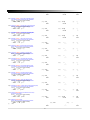
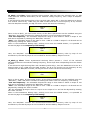
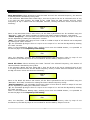
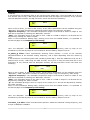
RX:
STX
ID_M
ID_N
CMD
D0
D1
D2
D3
D4
D5
D6
D7
ETX
F0H
C3H
XX
1BH
NPreset
00H
00H
00H
00H
00H
00H
00H
F7H
So in this case, if the user gets back EXACTLY what was sent, the preset is existing and loaded on
the unit.
C. If the preset that the user wanted to load is NOT YET INITIALIZED (not yet created, so not
available...). the microcontroller will notify that to the user, sending back the following frame:
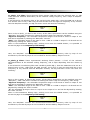
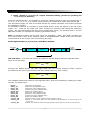
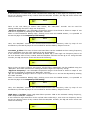
RX:
STX
ID_M
ID_N
CMD
D0
D1
D2
D3
D4
D5
D6
D7
ETX
F0H
C3H
XX
1BH
FFH
00H
00H
00H
00H
00H
00H
00H
F7H
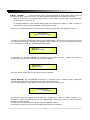
Input Gain and Output Volume Control:
UPDATE GAINS-PHASE: CMD=01H
A. The User has to send the following Command, including the value to be assigned to “Vol”, for
modifying the Input Gain (Chn = 0, 1) or the Output Volume (Chn = 2, 3, 4, 5, 6, 7).
Also the Output signal Phase can be modified:
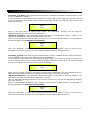
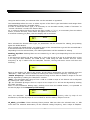
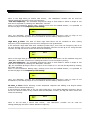
TX:
STX
ID_M
ID_N
CMD
D0
D1
D2
D3
D4
D5
D6
D7
ETX
F0H
C3H
XX
01H
Chn
00H
00H
00H
00H
00H
Phs
Vol
F7H
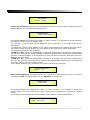
XX = 0,..,31 (ID device)
Chn=0,...,7: Channel selected, 0, 1=In1, In2; 2,...,7=Out1,..,Out6; when Channel 0, 1 selected, then Vol=Input
Gain, when Channel 2, 3, 4, 5, 6, 7 selected, then Vol= Output Vol.
Phs= Phase only if the Chn>1; Value=0, 1 where 0=direct, 1=inverse (180')
Vol= Gains from 0 to 180 (-12dB/ +6dB step 0.1dB)
B. If the command has been properly executed and the Gain/Volume modified, then the
microcontroller will send back to the User (eg Crestron/AMX Remote Control..) the same frame
used by the command:
RX:
STX
ID_M
ID_N
CMD
D0
D1
D2
D3
D4
D5
D6
D7
ETX
F0H
C3H
XX
01H
Chn
00H
00H
00H
00H
00H
Phs
Vol
F7H
50