1
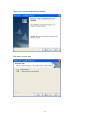
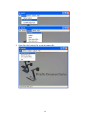
Click Next>, you will see:
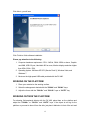
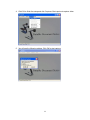
Click Finish to finish software installation.
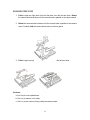
Please pay attention to the following:
1. Computer hardware requirement: CPU: 2.4GHz, RAM: 256M or above, Graphic
card 64M, USB 2.0 port, Hard disk 40G or more, Monitor display resolution higher
than XGA (1024 x 768).
2. Operating system: Windows XP SP2 (Service Pack 2), Windows Vista, and
Windows 7.
3. Must use the high-speed USB cable provided with the DV 480.
WORKING ON THE PLATFORM
1. Place your material on the working surface.
2. Select the enlargement desired with the “ZOOM+” and “ZOOM-” keys.
3. Adjust the focus with the “FOCUS+” and “FOCUS-” keys or “AUTO” key.
WORKING OUTSIDE THE PLATFORM
For showing 3-dimensional objects with the DV 480, place them on the platform and
adjust the “FOCUS+” or “FOCUS-” and “AUTO” keys. If the object is too big for the
platform or you want to show it from the side, just place it behind or in front of the unit and
15