1
Requester
I. Welcome to FSDirect! Now What?
(A quick word on how to get started.)
MySchoolBuilding.com is where you, as a Requester, will go to make all of your
new scheduling requests. There are two ways that a Requester can be entered into the
system:
•
•
The Administrator can add the Requester into the system.
The Requester can add themselves into the system.
If you are a new Requester (you haven’t been entered into the system before),
follow these steps to set up your Requester name and enter yourself into the system:
1. Go to www.myschoolbuilding.com.
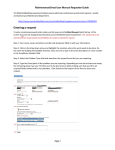
2. You will see the following page, with your school’s name and logo in the upper
left-hand corner:
3. Enter your email address in the space provided. Click Submit.
1