1
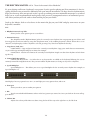
INSTALLATION
1. Download the free Kontakt Player application from here and install it.
http://www.native-instruments.com/#/en/products/producer/kontakt-player/
2. Open the Player (or Kontakt 4 full version if you have that) and click ‘Add Library’ in the library browser
window:
3. Navigate to the library folder, for example: the ‘Spitfire Percussion Library’ folder that contains your library’s Instruments and Samples folders, and also has the ‘info.nkx’ file.
4. Now, you have added the library to the Service Centre, and you will be prompted to open the application to
enter your Serial Number.
5. Open the Service Centre application, and enter the Serial Number - this is in the format:
XXXXX-XXXXX-XXXXX-XXXXX-XXXXX
...and is the same number you used to download your library.
6. Restart Kontakt and your library is authorised.
7. Blow the dust off your ModWheel and enjoy!
5.