1
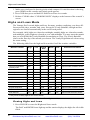
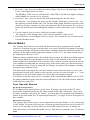
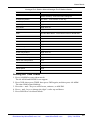
Console Location
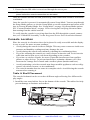
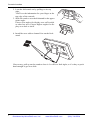
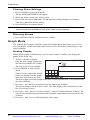
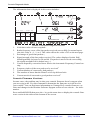
2. Lean the kickstand out by pulling on its top
edge.
You’ll see the indentation for your finger at the
top edge of the console.
3. Slide the catch to rest the kickstand in the appropriate angle.
Choose low angles for display on a coffee table
or other low area. Choose higher angles for display on a desk or shelf.
4. Install the two rubber channel feet on the kickstand.
If necessary, pull up on the stand to close it. It will be a little tight, so it’s okay to push
hard enough to get it to slide.
7
Distributed by MicroDAQ.com, Ltd.
www.MicroDAQ.com
(603) 746-5524