1
Basic Operation
Project Explorer Window
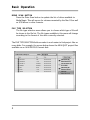
After launching the application, the main project selection window will be
displayed. This window is divided into two areas. The right hand side of the
window shows a list of all drives that are accessible by Media Magic. This may
include drives or volumes mounted on the Macintosh desktop (including CDROMs and network volumes) as well as other SCSI drives handled by Media
Magic. Clicking on any drive will select it and it will be shown highlighted.
The left hand side of the window shows a listing of files and directories on the
selected disk.
3