1
2、Trigger settings:
1 Press "CH1 key" → press "F3" key to set the coupling to "DC."
2 Press the "TRIG" button to display the edge trigger menu settings.
� In this menu,press “F1” key to set the edge type “slope down”,press
“F2” key to set the source “CH1”,press “F3” key to set the trigger
mode to “single”.
④ Press “RUN” key,the left corner of the display
screen will displays “Ready”,waiting for the
signal meets the trigger condition occurs.If
the trigger signal reaches the ertain conditions,
it will displays on the screen.With this feature
you can easily capture the event accidental,such
as a suddenly low voltage:press”RUN” key to
start the wait when there is a low level occurs,
the devices will automatically trigger and the
trigger waveform record before and after a period
of time off.”HORI” key can change the horizontal
position of the trigger position,then you can
get different lengths,which can easily observe the
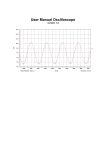
waveform. See Figure 3-4
Figure 3-4
3.4 Use Multimeter to Measure DC Voltage
● Use “AUTO” measure DC Voltage.
① Press “AVΩ”key,enter Multimeter mode,
Auto range default.
② Press “ ” or “
” to select “DC Voltage”,
Figure 3-5
or press “F1”key.
③ Put the pen on the test point,and it will read The value.See figure
3-5.
● Set the Voltage Range manually.
① Press “ ” or “
” to select “DC”,or
press “F1”.
② Press “ ” or “
” to adjust the range.
See figure 3-6.
Figure 3-6