1
GE Digital Energy
2 - Installation
2.1
Installation procedure CARD version
1.
Switch off the UPS, and wait approx. 2 minutes.
2.
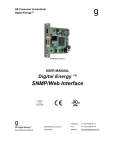
Install the SNMP/WEB Interface card in the RS232 option slot.
3.
Make all necessary connections (see architecture diagram in chapter 1).
4.
Switch on the UPS.
2.2
Installation procedure BOX version
1.
Connect the network cable to the box: BNC or RJ45 connector.
2
Connect the UPS to the SNMP/WEB Interface box (Sub-D connector “UPS”) using the
cable provided with the UPS (VIC/23 or IMV-I) for intelligent communication.
For using the Contact Interface communication to an General Electric DE UPS a VIC-25
or IMV-C cable is required.
3.
Connect the power to the box (most left connector). Make sure that the SNMP/WEB
Interface box is powered by the UPS!
4.
The green LED will flash to indicate that the connection to the UPS is established.
In case the LED is continuously on, you will need to check the cabling to the UPS.
OPM_INT_SNM_WEB_XXX_XGB_V040
3
SNMP/WEB Interface: user manual 4.0 (GB)