1
TH3VODAFONE_UM_GB_27-07-04
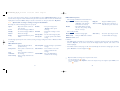
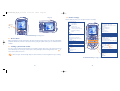
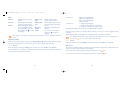
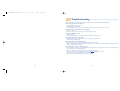
• CAMERA
- Take a picture
- Pictures
- Videos
• MY ITEMS
- Pictures
- Games & more
- Sounds
- Videos
- My Shortcuts
- Bookmarks
- My messages
27/07/04
14:50
Page 21
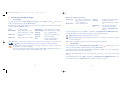
• SETTINGS
- Profiles
- Phone
- Call settings
- Connectivity
- Internet
- Network
- Security
• SERVICES
• CALL LOGS
• RINGTONES
• CALENDAR
5
Contacts......................................................
5.1 Contact list
You can customize a quick access to your contacts with the “Speed dial list” function (see page 27).
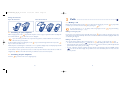
To access the contact list from your main screen, press the
navigation key, press
again and select “Contact list”.
key, select “Contacts” with the
You have 4 contact lists:
SIM directory:
The SIM card’s capacity depends on the type of SIM you have. It is not possible to assign more than
one number to a name.
General list:
Contains all contacts saved on the phone. The SIM card contacts are not created automatically in the
general list, but they can be copied to it.
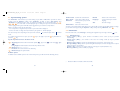
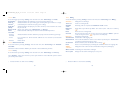
• CONTACTS
- Contact list
- Call logs
- Speed dial list
- My Numbers
- My e-mail
Personal list:
You can store your personal contacts in this list (relatives, friends, etc.).
Professional list:
You can store your professional contacts in this list (companies, etc.).
In addition to the lists already provided, you can create your own lists (see page 25).
Searching for a name by its first letter
You can search for the person’s name by pressing the key associated with the first letter of his/her name.
For some languages that have a specific entry mode, you should use the “Search name” option.
21
22