1
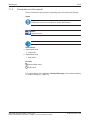
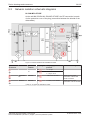
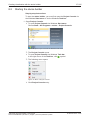
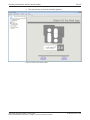
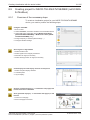
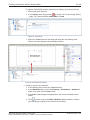
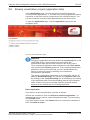
Creating visualization with the atvise builder 8.6.4 73/125 GUI of the display editor Figure 45: Graphics editor of atvise builder The display (or graphics) editor is divided into five main areas: · Project tree area · Drawing tools area · Drawings area · Library (display elements area) · Attributes area (properties of the selected display element) The Library contains many readymade display elements, which can be used instantly. The following types of elements are available: · Analog controls · Analog meters · Default displays (designed for output and input of boolean, numeric and string data) · Digital controls · Digital indicators · General displays netSCADA with atvise builder | User Manual DOC120103UM04EN | Revision 4 | English | 201406 | Released | Public © Hilscher 2010 – 2014