1
BMC Bioinformatics 2006, 7:98
http://www.biomedcentral.com/1471-2105/7/98
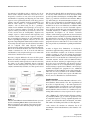
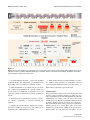
Figure 3digest screen
Multiple
Multiple digest screen. Enzymes selected by the user are indicated, as well as those chosen among them by REtools as the most
suited for common conditions. Optimum buffer(s) are indicated, down to a minimum of 50% activity. In addition, information
on each enzyme is visible in the lower panel.
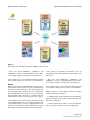
- 3. "Perform multiple digestion", searches for optimum
conditions (buffer, pH, temperature...) to simultaneously
digest DNA with several different restriction enzymes.
- 7. "Find enzymes sharing reaction conditions" searches
for enzymes whose activities are compatible with the
selected reaction conditions (buffer, pH, temperature...).
- 4. "Find information on an enzyme not present in the
lab", searches for information on a specific enzyme not
present in the user's laboratory, in particular to see if an
equivalent enzyme (isoschizomer) could be available in
the lab.
Each of these 7 functions is presented below.
- 5. "Find enzymes corresponding to a sequence" searches
for enzymes recognizing a selected restriction site
sequence.
- 6. "Display our enzyme lab list" displays the personalized list of enzymes present in one's lab, which can be
organized in the "Administration" section.
"Administration"
This password protected access has been designed for laboratories where restriction enzymes are under one person's responsibility (called the RE administrator). The RE
administrator can choose from the more than 3500
enzymes present in REtools to customize a REtools lab list
to match enzymes actually present in one's laboratory.
This customized lab list can be printed out and subsequently posted on a freezer door. More than 3500
enzymes are recorded in the "AllREnar" file present in the
REtools folder. We will update this list twice a year to
Page 4 of 8
(page number not for citation purposes)